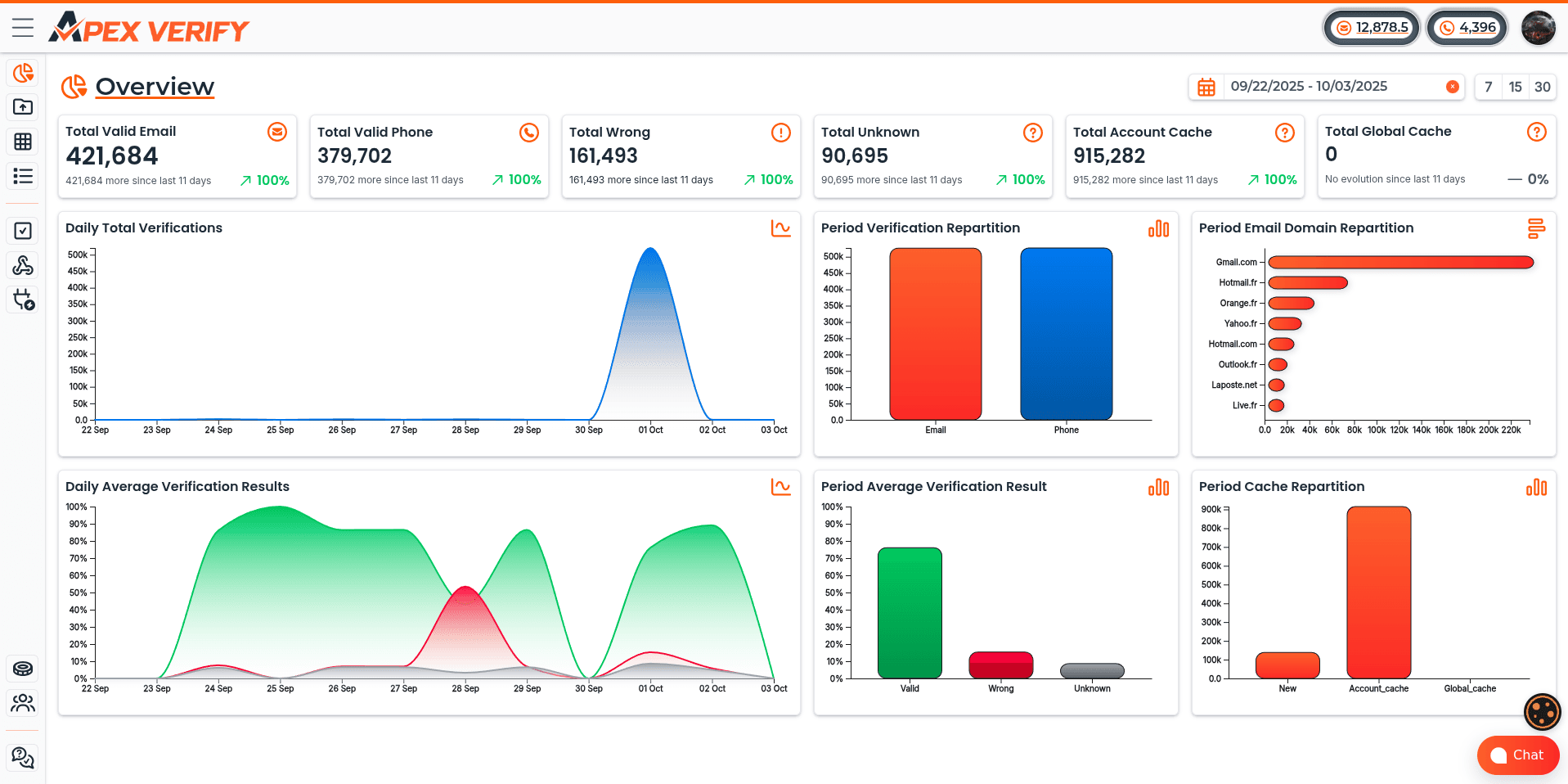


Last Tuesday morning, a product manager at a growing SaaS company noticed something alarming. Their user dashboard showed 2,000 new signups overnight. Excitement quickly turned to frustration when she discovered that 98% were fraudulent registrations from automated scripts.
Her development team spent the entire week cleaning the database. They scrubbed through thousands of entries, blocked IP ranges, and dealt with email bounce-backs that damaged their sender reputation.
This scenario plays out daily across platforms worldwide. According to OOPSpam's 2024 Annual Spam Report, registration forms absorb 45% of all form-based spam attacks. The threats come from multiple sources: scripted submissions, temporary email generators, click farms, and even AI-powered tools that mimic human behavior.

We've moved beyond simple CAPTCHA solutions. Modern platforms need sophisticated defenses that prevent fake accounts without creating friction for legitimate users. Real-time verification APIs offer the answer, validating emails, phone numbers, and user behavior instantly during registration.
Throughout this guide, we'll show you practical strategies to block spam registrations and protect your platform. We'll cover implementation techniques, code examples, and multi-layered security approaches that balance protection with user experience.
Key Takeaways
- Sign-up forms face the highest volume of spam attacks, accounting for 45% of all form-based threats in 2024
- Fraudulent registrations damage databases, waste marketing budgets, and compromise platform security and compliance
- Real-time verification APIs validate user data instantly, blocking automated scripts while maintaining seamless user experience
- Modern threats include AI-powered bots, temporary email services, click farms, and coordinated malicious campaigns
- Multi-layered defense strategies combining email validation, phone verification, and behavior analysis provide optimal protection
- Implementing proper verification systems protects sender reputation and prevents costly database pollution
1. Why Bot and Fake Account Signups Are a Critical Threat in 2026
Every day, millions of automated bots try to breach business platforms through fake signups. This creates unprecedented security and operational challenges. Small businesses are hit hard because they rely on online forms and automated workflows. The attacks have become so sophisticated that traditional security measures are no longer enough.
Fake signups are not just a nuisance. They cause real financial harm and operational chaos across your business. When bots flood your registration forms, they trigger a cascade of problems. These problems affect everything from your marketing metrics to your bottom line.
The Evolution of Automated Account Creation
The landscape of automated attacks has changed dramatically over the past few years. We've moved beyond simple script-based form submissions that were easy to detect and block. Today's bots use artificial intelligence and machine learning to bypass even the most sophisticated security measures.
Modern bot networks now employ distributed infrastructure spanning thousands of residential IP addresses. These systems rotate proxies continuously, making it nearly impossible to block them based on IP reputation alone. They've mastered browser fingerprint spoofing, which means they can mimic legitimate users down to the pixel-perfect detail.
The most alarming development is the emergence of AI-powered bots that can solve CAPTCHAs with accuracy rates exceeding 90%. These systems analyze human browsing patterns and replicate them convincingly. They pause between form fields, move cursors naturally, and even simulate typing errors that real users make.

Credential stuffing operations have become increasingly sophisticated in 2026. Attackers use machine learning models trained to identify weak security implementations. They test millions of stolen username and password combinations across multiple platforms simultaneously, looking for accounts they can compromise.
Business Impact: Polluted Metrics, Increased Costs, and Security Risks
The consequences of failing to reduce fake user signups extend far beyond cluttered databases. Your metrics become completely unreliable when bots contaminate your user acquisition data. Dashboard numbers show impressive growth, but revenue doesn't follow because those users were never real.
Email deliverability suffers catastrophic damage when your contact list includes fake addresses. Your bounce rates spike as messages hit invalid inboxes. Spam traps infiltrate your database, destroying your sender reputation. Major email providers notice the low engagement rates and start routing your legitimate messages to spam folders.
The financial costs multiply across every department:
- Marketing teams waste budget on contacts who never engage with campaigns or convert
- Sales departments spend valuable time following up on leads that will never respond
- IT infrastructure allocates server resources and storage to support fake user accounts
- Customer service deals with complications when fake accounts trigger support workflows
Account takeover prevention becomes exponentially harder when your system contains thousands of compromised accounts. Attackers use these fake profiles as launching points for further attacks. They harvest data, manipulate reviews, spread malicious content, and damage your brand reputation.
Compliance risks escalate when your database contains fraudulent information. GDPR, CCPA, and other privacy regulations hold businesses accountable for the data they collect. Fake contacts create legal liabilities and audit complications that can result in significant penalties.
Emerging Threat Patterns We're Seeing in 2026
The attack vectors we're monitoring in 2026 demonstrate unprecedented levels of coordination and sophistication. Coordinated signup campaigns now flood platforms with thousands of fake accounts within minutes. These distributed attacks use timing patterns that evade rate limiting and seem like organic traffic spikes.
We're seeing sophisticated social engineering operations where fake accounts build credibility over weeks before launching attacks. These sleeper accounts participate in communities, post content, and establish trust before revealing their malicious intent. This makes spam account protection infinitely more challenging.
API abuse targeting mobile applications has exploded in frequency. Attackers reverse-engineer mobile apps to access backend APIs directly. They bypass frontend security measures entirely and submit signup requests at machine speed. Headless browser automation tools make these attacks nearly indistinguishable from legitimate mobile traffic.
Industry-specific threats have become highly targeted:
- E-commerce platforms face review manipulation campaigns that destroy product credibility
- Social networks struggle with fake engagement that distorts content algorithms
- SaaS companies deal with competitors creating accounts to steal pricing and feature intelligence
- Financial services combat fraud prevention challenges from accounts used for money laundering
The cybersecurity implications extend beyond individual businesses. Bot networks create infrastructure that enables larger criminal operations. Fake accounts facilitate identity theft, financial fraud, and data breaches across entire industries.
Understanding these evolving threat patterns is the essential first step toward implementing effective countermeasures. Without recognizing how attackers operate and what motivates them, any security implementation will have critical blind spots. The sophistication of modern attacks demands equally sophisticated defense systems built on real-time verification and continuous monitoring.
The good news is that we now have access to verification technologies that can stop malicious signups before they contaminate your systems. Real-time verification APIs provide the speed and accuracy needed to identify fake accounts at the point of registration, which we'll explore in detail throughout this guide.
2. Understanding Real-Time Verification APIs
Modern verification APIs are powerful because they validate user information in milliseconds. This creates an invisible security layer. They screen every signup attempt, checking email addresses, phone numbers, and other identity markers before accounts are created. For businesses fighting bot invasions in 2026, understanding these user identity verification systems is key to building effective defenses.
Real-time verification marks a shift from traditional batch processing. Instead of validating data hours or days later, it analyzes signup information immediately. This stops fraudulent accounts before they pollute your database or consume system resources.
What Makes Verification "Real-Time"
Real-time verification validates data instantly during the signup process, not later. When a user submits a registration form, the verification API checks the data and returns a decision quickly. This happens in a fraction of a second, faster than the blink of an eye.
This speed is critical. It allows us to make decisions without creating noticeable friction for legitimate users. The verification operates synchronously within the signup flow, waiting for the verification response before proceeding. Unlike asynchronous batch processing, real-time systems provide immediate feedback.
Modern verification services like Form Guard validate every contact field simultaneously. They check email addresses, phone numbers, and name fields at the point of entry. Some advanced implementations even check data as users type, providing instant feedback before form submission.

Protection that runs before the page is served operates at the request level. It checks incoming traffic at your server or CDN. This early-stage verification stops bots before they even reach your signup form, reducing load on your origin servers.
Core Components of Verification APIs
Every robust verification system includes several essential elements working together. Understanding these components helps you evaluate providers and implement solutions effectively. The architecture typically follows industry-standard patterns that make integration straightforward across different platforms.
At the foundation, verification api endpoints accept validation requests containing user-submitted data. These RESTful endpoints follow standard HTTP protocols, making them compatible with virtually any programming language or framework. Your application sends a POST request with the data to validate, and the API returns a structured response with verification results.
Authentication mechanisms protect both your verification service and your API quota. Most providers use API keys or OAuth tokens that you include in request headers. These credentials ensure only authorized applications can access the service while tracking usage for billing and rate limiting purposes.
Request and response formats typically use JSON, the universal data interchange standard. A verification request might look like this:
- Email address or phone number to validate
- Additional context data (IP address, user agent, timestamp)
- Validation options specifying which checks to perform
- Risk threshold settings for decision-making
The API response includes validation results, risk scores, and detailed information about what was checked. This structured data allows your application to make informed decisions about whether to accept, challenge, or reject the signup attempt.
Rate limiting prevents abuse of the verification service itself. Providers implement throttling to ensure service availability and protect against denial-of-service attacks. Your integration should handle rate limit responses gracefully, implementing retry logic with exponential backoff when necessary.
Webhook support enables asynchronous notifications for long-running verification processes. While most checks complete in milliseconds, some advanced fraud detection workflows may require additional processing time. Webhooks notify your application when results become available without requiring constant polling.
Comprehensive API documentation with code examples accelerates implementation. Quality providers offer detailed guides covering authentication, endpoint specifications, error handling, and best practices. SDKs for popular programming languages further simplify integration, providing pre-built functions that handle request formatting and response parsing.
Behind these interfaces, verification APIs connect to multiple data sources and validation layers. Syntax validation happens instantly, checking format and structure without external calls. Domain and MX record checks query DNS servers to verify email infrastructure exists. Mailbox existence verification performs SMTP pings to actual mail servers, confirming the inbox is active and accepting messages.
For phone numbers, api data validation queries HLR (Home Location Register) databases and carrier networks. These lookups verify the number is active, identify the carrier, and detect line types. Reputation checks cross-reference IP addresses and domains against threat intelligence databases, flagging known sources of fraud or spam.
The Balance Between Security and User Experience
The most effective verification strategies find the sweet spot between robust protection and frictionless onboarding. Too much security creates abandonment, while too little leaves you vulnerable to attacks. We need verification that's invisible to legitimate users but impenetrable to bots and fraudsters.
Progressive verification starts with lightweight checks and escalates only when risk signals appear. For low-risk signups, users from trusted IP ranges with valid email domains, we perform basic validation and allow immediate access. When risk indicators emerge, we add additional verification layers like phone confirmation or CAPTCHA challenges.
Intelligent risk scoring assigns confidence levels instead of binary pass/fail decisions. Instead of blocking borderline cases outright, we assign risk scores that inform graduated responses. High-confidence legitimate users proceed instantly, medium-risk users face soft challenges, and only clear threats get blocked completely.
Graceful degradation ensures your signup process continues functioning even if verification services experience temporary outages. If the verification API is unavailable, your application should fall back to basic validation rules instead of blocking all signups. This resilience prevents technical issues from creating business disruptions.
User-friendly error messages guide legitimate users to correct issues without revealing security mechanisms to attackers. When real-time email validation detects a typo in the email domain, we might suggest the correct spelling instead of stating "invalid email." For phone numbers, we provide format examples that help users enter data correctly.
The goal is maximum protection with minimal friction. Legitimate users should rarely notice the verification happening, the process should feel instant and seamless. While bots and fraudsters encounter multiple validation barriers that make automated account creation economically unviable. This balance requires continuous monitoring and optimization, adjusting verification rules based on observed patterns and user feedback.
Modern verification platforms provide control panels where you can tune this balance. You set risk thresholds, choose which verification layers to apply, and configure fallback behaviors. These settings let you optimize for your specific user base and threat landscape, creating a customized defense that evolves with your needs.
3. How to Stop Bot and Fake Account Signup: Complete Implementation Guide
Protecting your platform from fraudulent registrations requires a proactive approach. We've developed a framework that combines cleaning, protection, and monitoring. This ensures a secure sign-up flow without sacrificing user experience. Real-time form protection blocks bad contacts before they enter your CRM or marketing system, ensuring data quality from the moment users submit their information.
This approach transforms signup form verification into a multi-layered defense system. By validating every entry point and continuously monitoring for threats, you'll maintain database integrity. This preserves the frictionless onboarding experience that drives conversion rate optimization.
Step 1: Audit Your Current Signup Flow and Identify Vulnerabilities
Before implementing new verification systems, we need to understand exactly where your security gaps exist. A thorough security assessment reveals the weaknesses that bots and fraudsters currently exploit in your registration process.
Start by mapping every entry point where accounts can be created. This includes web forms on desktop and mobile, native mobile applications, API endpoints that accept direct registrations, and any third-party integrations that create user accounts. Each represents a vulnerability that requires protection.
Next, analyze your current validation mechanisms. Review what checks you're performing today and identify what's missing. Many organizations discover they're only doing basic format validation on the client side, which sophisticated bots easily bypass.
Review your signup metrics to spot anomalous patterns that indicate bot activity:
- Unusual geographic distribution with signups clustering from unexpected regions
- Signup time clustering showing bursts of registrations within seconds
- Impossible signup velocities that human users couldn't achieve
- High form abandonment rates at specific validation points
- Identical user agent strings across multiple registrations
Examine your existing database for indicators of fake accounts. Look for disposable email domains, sequential phone numbers, gibberish names, and profiles with zero engagement after registration. These patterns reveal how effectively bots are currently penetrating your defenses.
Document your current tech stack to understand integration requirements. Note your form builder, backend framework, database system, and any existing security tools. This information guides your selection of compatible verification solutions.
Use this vulnerability checklist to identify critical gaps:
- Missing email validation beyond basic syntax checking
- Absent phone verification or carrier validation
- No bot detection mechanisms or CAPTCHA implementation
- Client-side-only validation that attackers can bypass
- Exposed API endpoints without rate limiting
- Missing input sanitization allowing injection attacks
- No monitoring of form submission validation patterns
Step 2: Select the Right Verification API Provider
Choosing the right verification API provider is critical. We recommend evaluating providers across multiple dimensions to find the solution that matches your specific needs.
Verification coverage should be your first consideration. Look for providers that validate user inputs across email, phone, name, and address fields simultaneously.
Real-time performance directly impacts user experience. The verification process must complete in under 200 milliseconds to maintain a frictionless onboarding flow. Any delay longer than this increases form abandonment and hurts conversion rates.

Accuracy and data freshness matter significantly. Ask providers how recently their databases were updated. Stale data leads to false positives that block legitimate users and false negatives that allow fraudsters through.
Evaluate these essential selection criteria:
- Global coverage versus regional specialization for your target markets
- Pricing structure comparing per-verification costs to monthly subscriptions
- Integration complexity and quality of documentation
- Compliance certifications including SOC 2, GDPR, and CCPA
- Customer support availability and SLA guarantees
- Scalability to handle your growth trajectory
ApexVerify offers all-in-one data verification that combines email verification, phone verification, and address validation in a single platform. This simplifies integration and reduces the number of vendor relationships you need to manage.
This flexibility makes it ideal for organizations with diverse tech stacks or legacy systems that require modern protection.
Step 3: Integrate API Endpoints Into Your Signup Form
Successful integration requires balancing security with user experience. We'll implement both client-side and server-side validation to provide immediate feedback while maintaining robust security that attackers can't bypass.
Client-side JavaScript validation gives users instant feedback when they verify email at signup or verify phone number at registration. This approach reduces frustration and prevents users from submitting forms with obvious errors. Never rely solely on client-side checks, as attackers can disable JavaScript or directly call your APIs.
Server-side validation provides the security backbone of your system. Every form submission must pass through backend validation that calls your verification APIs before creating the account. This ensures that even if attackers bypass your frontend, fraudulent data never enters your database.
Handle API responses appropriately based on the verification result:
- Valid: Accept the submission and proceed with account creation
- Wrong: Reject the submission with a clear error message
- Unknown: Apply your configured risk threshold to decide acceptance
Choose between synchronous and asynchronous validation patterns based on your needs. Synchronous blocking validation prevents form submission until verification completes, providing immediate certainty. Asynchronous background checks allow faster initial registration while performing deeper verification afterward.
For most use cases, we recommend synchronous validation for critical fields like email and phone. This prevents obviously fake data from entering your system while maintaining acceptable performance with fast APIs.
Step 4: Configure Validation Rules and Risk Thresholds
Defining what constitutes acceptable risk for your business requires balancing security against user accessibility. Different organizations have different tolerance levels based on their industry, user base, and fraud exposure.
Decide your policy on disposable emails. Should you block them entirely or just flag them for monitoring? E-commerce platforms typically block disposable addresses completely, while content sites might allow them but limit privileges until users verify through additional channels.
Determine your stance on VoIP numbers and virtual phone services. Financial institutions often require traditional carrier lines for regulatory compliance. Consumer apps might accept VoIP numbers but apply additional fraud checks to those accounts.
Create tiered response strategies for different risk levels:
- Auto-approve: Low-risk signups from verified emails and carrier phones proceed immediately
- Auto-block: High-risk submissions from known fraud patterns are rejected instantly
- Manual review: Medium-risk cases are flagged for human verification before activation
Configure allowlists for known good domains that your organization trusts. Enterprise customers from Fortune 500 companies or government email domains can bypass certain checks. Maintain blocklists of domains and phone number patterns associated with previous fraud attempts.
Set up custom rules specific to your use case. If you're a local business, you might flag signups from distant countries. If you serve a global audience, geographic diversity is expected and shouldn't trigger alarms.
Balance security with conversion rate optimization by testing different threshold configurations. Monitor how strict settings affect legitimate user signups and adjust. The goal is maximum protection with minimal friction.
Step 5: Test, Deploy, and Monitor Performance
Thorough testing prevents verification systems from becoming barriers to legitimate users. We implement multiple testing layers to validate functionality, performance, and user experience before full deployment.
Unit tests verify your validation logic works correctly for all scenarios. Test valid inputs, invalid formats, edge cases, and error handling. Ensure your code gracefully handles API timeouts or service disruptions without blocking all signups.
Integration tests use actual API calls to verify real-world behavior. Submit test data through your complete signup flow and confirm that verification results trigger the correct responses. Test both positive and negative cases to validate all code paths.
Load testing ensures verification doesn't become a bottleneck during traffic spikes. Simulate peak signup volumes and measure response times. Your verification system should maintain performance even during product launches or viral marketing campaigns.
User acceptance testing validates the experience from your customers' perspective. Have real users complete the signup process and provide feedback. Watch for confusion around error messages or unnecessary friction points that drive form abandonment.
Implement a phased rollout strategy to minimize risk:
- Deploy to a small percentage of traffic initially (5-10%)
- Monitor metrics closely for any negative impacts
- Gradually increase the percentage as confidence grows
- Keep rollback procedures ready if issues emerge
- Achieve full deployment only after validation at each stage
A/B testing measures the actual impact on signup quality and conversion rates. Compare groups with and without verification to quantify benefits. Track not just signup volume but engagement quality, as blocking bots should improve downstream metrics even if raw signups decrease slightly.
Establish monitoring dashboards that track key performance indicators in real time. Watch verification pass rates, API response times, error frequencies, and user progression through the signup funnel. Set up alerts for anomalies that might indicate attacks or system issues.
Regular review of these metrics allows continuous improvement. As attack patterns evolve, your verification rules should adapt. Monthly analysis helps you identify new fraud techniques and adjust your defenses.
4. Implementing Real-Time Email Verification
Stopping fake account signups starts with multi-layered email verification. This method checks every submission in real-time, going beyond simple format checks. Each layer protects against different fraud types while keeping the user experience smooth.
We'll explore each verification stage, from client-side checks to server-side detection. Understanding these layers helps you find the right balance between security and usability for your business.
Syntax Validation and Format Checking
The first defense is client-side, before data reaches your server. Syntax validation ensures email addresses follow RFC 5322 standards. It checks for a single @ symbol, valid characters, and correct local and domain parts.
Modern JavaScript libraries perform these checks quickly, giving users instant feedback. Syntax validation catches obvious errors but can't stop intentional fraud. You need an online email verification api for deeper checks.
MX Record Verification and SMTP Ping
Server-side verification starts with DNS queries to confirm email receipt. An mx record check verifies Mail Exchange records for the domain. Without MX records, the domain can't receive email, making the address invalid.

This check runs in the background while users fill other form fields. Modern APIs perform these lookups fast, ensuring real-time validation without delays.
The next step is smtp ping technology, connecting to the recipient's mail server. It simulates email delivery, verifying mailbox existence and acceptance. The verification API sends a HELO command and checks the server's response to a RCPT TO command.
A 250 code means the mailbox exists and accepts mail. A 550 code indicates it doesn't exist or rejects messages. This smtp ping verification identifies non-existent addresses, protecting your sender reputation and reducing waste.
Detecting and Blocking Disposable Email Addresses
Disposable email services create throwaway addresses. These services, like Mailinator, allow users to generate addresses that self-destruct. These addresses pass syntax and MX verification but have no long-term engagement.
Users create these addresses to bypass signup requirements. When these addresses expire, your emails bounce, harming your sender reputation.
Disposable email detection uses databases of known temporary email domains. Premium APIs update these databases daily. When a user submits an email from a known disposable domain, the API flags or blocks it instantly.
You can set rules based on your risk tolerance. Some businesses block temporary emails completely, while others flag them for review. E-commerce platforms often block them to prevent fraud. Content platforms might allow them but exclude them from email campaigns to reduce bounce rates.
Advanced Detection: Catch-All Emails and Spam Traps
Catch-all email servers present a challenge because they accept mail for any username. SMTP verification can't confirm mailbox existence with these servers. Verification APIs use pattern recognition and historical data to identify catch-all domains.
Catch-all email detection flags these addresses for different handling rules. Some businesses accept corporate catch-all emails but block free provider ones. Others assign a medium risk score and monitor engagement before fully trusting them.
Spam traps are a serious threat to your email infrastructure. These addresses are created by anti-spam organizations to identify senders with poor list hygiene. Spam traps never sign up for anything legitimately.
Sending email to a spam trap damages your sender reputation. Spam trap detection identifies known trap addresses and honeypot domains before they enter your database. Premium verification APIs work with anti-spam organizations to block these addresses.
The configuration you choose depends on your business model and risk levels. SaaS platforms often implement aggressive filtering. Media companies might use softer filtering. E-commerce businesses balance fraud prevention with customer convenience, using risk scoring.
Implementing these verification layers creates a strong defense system. You'll improve deliverability by ensuring only valid recipients enter your database. Your email campaigns will reach real inboxes instead of bouncing or hitting spam traps. Most importantly, you'll increase deliverability rates and protect your sender reputation.
5. Deploying Real-Time Phone Number Verification
Implementing real-time phone verification significantly enhances your signup security. It queries carrier databases to confirm phone numbers are active, legitimate, and fraud-free. While email validation catches many fraudulent signups, real-time phone validation adds a critical second layer that connects directly to carrier infrastructure.
This verification method prevents fake accounts from polluting your user base. It also protects your budget from wasteful SMS costs and toll fraud schemes.
When you pay for leads through Facebook lead ads, Instagram forms, TikTok traffic, or YouTube ads, fake sign-ups silently eat into your budget. Affiliate networks and low-quality lead vendors often deliver phone numbers that cost you money without delivering real customers.
HLR Lookup API and Carrier Validation
The Home Location Register (HLR) is a central database used by mobile network operators that contains details of each mobile subscriber authorized to use their network. When we perform an hlr lookup api query, we're accessing carrier-level authentication in real-time.
This process verifies that a phone number is active and reachable. The lookup determines which carrier operates it and identifies the original network versus the current network for ported numbers.
An online phone number verification api using HLR technology provides several critical data points:
- Active status confirmation within carrier databases
- Carrier identification and network operator details
- Phone type classification (mobile, landline, VoIP)
- Number portability history and current routing
- Country code validation and geographic location
This verification happens in real-time, typically within 1-3 seconds. The speed makes it perfect for inline validation during signup flows without creating user friction.
Response codes from HLR lookups indicate number status. A positive response confirms the number exists in carrier databases and can receive calls or SMS. An uncertain status might indicate temporary network issues or numbers in transition between carriers.

Detecting and Blocking VoIP and Virtual Phone Numbers
VoIP numbers from services like Google Voice, Skype, and similar providers present a major challenge in phone verification. While these numbers are technically functional, they carry significantly higher fraud risk than traditional mobile numbers.
These virtual numbers are easy to obtain without identity verification. Users can acquire multiple VoIP numbers at no cost and discard them immediately after use.
The ability to detect voip numbers during signup provides critical fraud prevention. HLR lookup and carrier validation identify VoIP numbers through several techniques:
- Analyzing the number type field returned by carrier databases
- Cross-referencing against databases of known VoIP providers
- Examining number portability records for suspicious patterns
- Identifying assignment patterns typical of virtual number services
Once detected, you can block virtual phone numbers based on your risk tolerance. High-security applications like financial services typically block VoIP entirely.
E-commerce platforms might flag VoIP numbers for additional verification steps. Low-risk use cases like newsletter signups may accept them with appropriate monitoring.
The policy you choose should align with your fraud risk profile and user experience goals. Completely blocking VoIP may reduce fraud by 30-40% but could also exclude legitimate users who rely on these services.
Preventing Burner Phones and Temporary Numbers
Burner phone apps and temporary number services represent the phone equivalent of disposable email addresses. These services allow fraudsters to create short-term phone numbers that can be abandoned immediately after account creation.
The challenge intensifies because some temporary number providers recycle numbers rapidly. A single phone number might be used by dozens of different people within weeks.
To block burner phones effectively, we need detection strategies that go beyond simple HLR lookup:
- Tracking number age and registration history across databases
- Identifying patterns of rapid creation and abandonment
- Cross-referencing against databases of known temporary number providers
- Monitoring for numbers recycled multiple times across different accounts
- Analyzing velocity patterns where the same number appears across many signups
Real-time phone verification services maintain constantly updated databases of burner phone patterns. These databases combine signals from millions of verification attempts to identify high-risk numbers.
Configuration options let you decide how to handle detected burner numbers. Immediate blocking prevents any signup attempts using these numbers. Flagging creates alerts for manual review while allowing the registration to proceed.
Progressive friction adds extra verification steps like email confirmation or identity document upload for suspicious numbers. This approach balances security with user experience by adding friction only where risk warrants it.
Toll Fraud Prevention and SMS Cost Reduction
SMS-based verification codes sent to invalid numbers waste money directly. When you send messages to VoIP numbers, international premium-rate numbers, or non-existent lines, you pay without any verification benefit.
Toll fraud prevention becomes critical when attackers exploit verification systems. Fraudsters register accounts using premium-rate numbers they control, then trigger repeated SMS verifications to generate revenue from your SMS charges.
These attacks can cost thousands of dollars before detection. A single bot network might create hundreds of accounts using premium-rate numbers across different countries.
Real-time phone validation prevents these costs by validating before sending SMS, effectively eliminating waste on undeliverable messages and blocking fraud attempts before they generate charges.
The financial benefits of phone verification at scale include:
- Validating phone numbers before sending any SMS messages
- Blocking premium-rate and toll-fraud numbers automatically
- Identifying number types to route verification through cost-effective channels
- Reducing failed delivery attempts that waste SMS credits
- Preventing international SMS charges to suspicious regions
ROI calculations show that verification costs are typically offset by SMS savings alone. If your platform sends 100,000 verification codes monthly at $0.05 per SMS, and 15% are invalid or fraudulent, you're wasting $750 monthly on undeliverable messages.
An online phone number verification api costing $0.01 per lookup would cost $1,000 monthly but save $750 in SMS waste. The additional benefits of cleaner data, reduced fraud, and improved user quality make the investment worthwhile.
To reduce sms fraud further, implement verification routing strategies. Send SMS codes only to validated mobile numbers. Use voice calls for landlines and email verification for VoIP numbers detected during validation.
Alternative channels like WhatsApp or app-based verification can reduce costs for international users. Progressive profiling approaches collect phone numbers only when needed, reducing verification costs for users who abandon accounts immediately.
Implementation best practices vary by verification scenario. SMS one-time passwords work best for standard mobile numbers. Voice call verification serves as a backup for delivery failures.
WhatsApp verification provides cost-effective international verification for users with smartphones. Progressive profiling delays phone collection until users demonstrate engagement, reducing verification costs for users who abandon accounts immediately.
6. Advanced Bot Detection and Prevention Techniques
Modern bot defense goes beyond basic verification. It requires intelligent systems that can recognize and adapt to complex automation patterns. Basic verification methods like real-time email and phone checks can stop many fake signups. Yet, we need more to catch advanced bots using legitimate-looking credentials.
Advanced bot detection techniques analyze behavior, reputation, and interaction patterns. They identify automated traffic before it pollutes your user database. This ensures a clean and reliable user base.
The key to effective protection lies in creating multiple barriers that work together. Each technique catches different bot types. Layering them creates a defense system that's extremely difficult for automated systems to bypass. We'll explore modern solutions that maintain frictionless authentication for legitimate users while stopping bots at the gate.
Integrating Modern CAPTCHA Solutions
The days of traditional CAPTCHA challenges are fading. Modern CAPTCHA solutions operate invisibly in the background. They only present challenges when behavioral signals indicate suspicious activity. This approach delivers strong bot detection without frustrating real users, the best of both worlds.
Today's CAPTCHA alternatives analyze dozens of signals during form interactions. They track mouse movements, keystroke patterns, and navigation paths. Most legitimate users never see a challenge, while bots encounter verification barriers that are nearly impossible to automate past.
Cloudflare Turnstile Implementation
Cloudflare Turnstile represents a privacy-first approach to bot prevention. It provides a drop-in replacement for traditional CAPTCHA systems without sharing user data with advertising networks. The system runs invisible checks for most visitors, only presenting challenges when necessary.
Implementation is straightforward. Add the Turnstile script to your signup page, insert a container div where you want verification to occur, and handle the callback on your server. Here's a basic integration:
The Turnstile widget evaluates visitor authenticity using proof-of-work challenges and behavioral analysis. When verification completes, it returns a token that your server validates via API call. Failed verification means the submission likely came from a bot, and you can block it before creating an account.
Key advantages of cloudflare turnstile include privacy protection, no data sharing with third parties, invisible operation for legitimate users, and configurable challenge difficulty. We recommend starting with standard difficulty and adjusting based on your traffic patterns and bot activity levels.
Google reCAPTCHA v3 and hCaptcha
Google reCAPTCHA v3 takes invisibility even further by running completely in the background. It never interrupts users with challenges. Instead, it analyzes behavioral signals like mouse movement, typing pace, and browsing history to assign a risk score between 0.0 and 1.0. Higher scores indicate more human-like behavior.
The power of google recaptcha v3 lies in how you use the score. You set thresholds that determine what happens next. Scores above 0.7 might auto-approve signups, scores between 0.3 and 0.7 could trigger additional verification like email confirmation, and scores below 0.3 might block the submission entirely.
Implementation involves adding the reCAPTCHA script to your page, executing it on form submission, and sending the token to your server for verification. The verification response includes the risk score, which your application uses to make allow-challenge-block decisions.
hCaptcha offers a middle ground between invisible and interactive approaches. For low-risk traffic, it operates invisibly. When risk signals suggest possible automation, it presents calibrated challenges that match the threat level. This adaptive approach balances security with user experience.
"The best bot detection systems are the ones users never notice, they work silently in the background, only stepping in when genuine threats appear."
hCaptcha's business model doesn't rely on user tracking, making it an attractive captcha alternative for privacy-conscious organizations. It compensates website owners for completed challenges, creating an incentive structure that benefits both parties. Integration follows similar patterns to reCAPTCHA with client-side widgets and server-side verification.

IP and Domain Reputation Analysis
Every signup attempt originates from an IP address and uses an email domain. Analyzing the reputation of both provides powerful signals for identifying bot traffic. IP reputation checks reveal whether requests come from known bot networks, proxy services, or regions you don't serve.
Modern ip reputation databases track billions of addresses and their behavioral history. They flag addresses associated with:
- Known bot networks and automation frameworks
- VPN and proxy services commonly used to hide bot origins
- Hosting providers where bots typically run
- Geographic regions outside your target market
- Addresses with histories of abusive behavior or spam
Domain reputation works similar for email addresses. It identifies domains associated with spam operations, temporary email services, or recently registered domains often used for attack campaigns. A domain registered yesterday that's suddenly generating hundreds of signups is highly suspicious.
We integrate ip reputation APIs that return risk scores and classifications for each address. Configure geographic restrictions to block regions you don't serve, but be thoughtful about legitimate users traveling or using VPNs. The best approach flags suspicious IPs for additional verification, not outright blocking.
Combining IP and domain reputation creates powerful validation. A signup from a flagged IP using a suspicious email domain is almost certain to be a bot. Layer this with behavioral analysis and CAPTCHA verification for complete protection.
Machine Learning and AI-Based Fraud Prevention
Rule-based systems can only catch patterns you've explicitly programmed them to detect. Machine learning bot detection adapts continuously, learning from billions of interactions to identify subtle signals that traditional systems miss. This is where ai fraud prevention becomes transformative.
Modern ML-based systems analyze behavioral signals that are nearly impossible for bots to replicate convincingly. They track:
- Mouse movement patterns and acceleration curves
- Keystroke dynamics and typing rhythms
- Form completion speed and field navigation order
- Path users took to reach the signup page
- Device fingerprinting and browser characteristics
- Interaction patterns across multiple pages
Services like HUMAN Security and DataDome provide ML-based bot detection that integrates with your signup flow. These platforms analyze requests in real-time, returning risk scores based on hundreds of signals. Their models train on massive datasets, identifying attack patterns as they emerge and adapting faster than rule-based systems ever could.
Implementation typically involves adding a JavaScript SDK to your pages and calling an API endpoint during signup processing. The SDK collects behavioral data, and the API evaluates it against trained models. You receive a risk assessment that informs whether to approve, challenge, or block the signup.
The beauty of machine learning systems is their continuous improvement. As attackers develop new techniques, the models learn from these patterns and update their detection capabilities. What started as an effective attack method quickly becomes ineffective as the system adapts.
We recommend combining ML-based detection with the other techniques discussed here. Use machine learning as an intelligent orchestration layer that adjusts verification requirements based on risk signals. High-risk traffic faces multiple verification layers, while low-risk users enjoy frictionless authentication.
Honeypot Fields and Input Sanitization
Sometimes the simplest techniques remain remarkably effective. Honeypot detection uses hidden form fields that humans never see but bots often auto-populate. When a submission includes data in these invisible fields, you know with high confidence that it came from an automated system.
Implementation is straightforward. Add form fields styled with CSS to make them invisible, positioned off-screen or with zero opacity. Give them convincing names like "email_confirm" or "phone_number" that bots might target. When processing submissions, check if these fields contain data. If they do, reject the signup.
Here's a basic honeypot example:
The hidden field appears in the HTML but is invisible to users due to absolute positioning off-screen. Bots that auto-fill all form fields will populate it, revealing their automated nature. This technique catches unsophisticated bots effectively, though advanced bots can detect and avoid honeypots.
Input sanitization protects against injection attacks and ensures data quality. Every field in your signup form should undergo validation and sanitization before storage. This includes:
- Validating data types match expectations (email format, numeric phone numbers)
- Removing potentially malicious characters and scripts
- Normalizing formats for consistency
- Applying appropriate length limits
- Escaping special characters before database insertion
Data sanitization prevents SQL injection, cross-site scripting, and other common attacks. It also maintains database integrity by ensuring stored data matches expected formats. We use server-side validation libraries that handle sanitization automatically while allowing you to define field-specific rules.
Input sanitization works hand-in-hand with the verification APIs we discussed earlier. APIs validate that emails and phone numbers are real and active, while sanitization ensures the data is safe to process and store. Together, they create clean, verified user databases.
"Defense in depth isn't just a security principle, it's the only reliable approach to stopping sophisticated bot attacks. No single technique is foolproof, but layering multiple approaches creates protection that adapts as threats evolve."
The techniques covered in this section represent the cutting edge of bot prevention in 2026. Modern CAPTCHA solutions provide invisible verification, reputation analysis flags suspicious sources, machine learning adapts to emerging threats, and defensive programming techniques like honeypots and sanitization catch what slips through.
We implement these methods in layers, with each technique catching different attack types. Sophisticated bots might bypass one or two barriers, but defeating all of them simultaneously is exponentially harder. This layered approach delivers robust protection while maintaining smooth experiences for legitimate users, exactly what effective bot detection should accomplish.
7. Technical Integration Across Popular Development Platforms
Many teams face challenges with verification API integration due to a lack of platform-specific examples. Fortunately, modern verification APIs are designed with developer-friendly verification patterns. These patterns work seamlessly across all major technology stacks. Whether you're using Python, JavaScript, PHP, or any other language, the core principles remain consistent. The implementation details adapt to your framework's conventions.
This section provides concrete code examples and integration strategies for the most popular development platforms in 2026. We'll cover REST API fundamentals before diving into platform-specific implementations that you can deploy immediately.
REST API Integration Fundamentals
Understanding RESTful architecture is key to successful api documentation implementation across any platform. Verification APIs typically use HTTP POST requests to validate data in real-time. The client sends structured data to the API endpoint, and the server responds with validation results in a standardized format.
A typical verification request includes several essential components. The API endpoint URL points to the verification service, while headers contain your api key authentication credentials. The request body carries the data you want to validate, formatted as JSON.
Here's a basic curl request example that demonstrates the structure:
1curl -X POST https://api.apexverify.com/v1/unit \
2     -H "X-API-Key: Your-API-Key" \
3     -H "Content-Type: application/json" \
4     -d '{
5  "type": "email",
6  "target_country": "US",
7  "unit": "contact@apexverify.com"
8}'The json api response returns validation results with detailed information. You'll receive status codes indicating success or failure, along with specific validation details for each field. Response times typically range from 50-200 milliseconds, making real-time validation feel instantaneous to users.
Rate limiting and retry logic are critical for production environments. Most APIs implement rate limits to prevent abuse, so your integration should handle 429 status codes gracefully. We recommend implementing exponential backoff for failed requests and connection pooling to optimize performance.

Python Integration for Django and Flask Applications
Python developers benefit from clean, readable syntax that makes python api integration straightforward and maintainable. Both Django and Flask offer excellent frameworks for implementing real-time verification with minimal code complexity. The key is leveraging Python's native HTTP libraries and framework-specific validation patterns.
Django Form Validation Example
Django's form validation system provides natural integration points for verification APIs. We create custom validators that run during the form cleaning process. This approach maintains Django's security-first philosophy while adding real-time verification.
Here's a complete Django implementation using a custom form validator:
1import sys
2from django.conf import settings
3from django.core.management import execute_from_command_line
4from django.urls import path
5from django.http import HttpResponse
6
7# 1. Minimal Django Settings Configuration
8if not settings.configured:
9    settings.configure(
10        DEBUG=True,
11        SECRET_KEY='dev-secret-key-123',
12        ROOT_URLCONF=__name__,
13        MIDDLEWARE=[
14            'django.middleware.common.CommonMiddleware',
15        ],
16        TEMPLATES=[{
17            'BACKEND': 'django.template.backends.django.DjangoTemplates',
18            'DIRS': [],
19            'APP_DIRS': False,
20        }]
21    )
22
23import django
24django.setup()
25
26# 2. Imports for your Form & View
27from django import forms
28import requests
29from django.core.exceptions import ValidationError
30from django.template import Engine, Context
31from django.views.decorators.csrf import csrf_exempt
32
33# 3. YOUR EXACT FORM
34class SignupForm(forms.Form):
35    email = forms.EmailField()
36
37    def clean_email(self):
38        email = self.cleaned_data['email']
39
40        response = requests.post(
41            'https://api.apexverify.com/v1/unit',
42            headers={
43                'X-API-Key': 'Your-API-Key'
44            },
45            json={
46                'type': 'email',
47                'target_country': 'US',
48                'unit': email
49            },
50            timeout=5
51        )
52
53        if not response.json().get('verification_result', {}).get('valid', False):
54            raise ValidationError('Please enter a valid email address.')
55
56        return email
57
58# 4. View and HTML Template
59HTML_TEMPLATE = """
60<!DOCTYPE html>
61<html lang="en">
62<head>
63    <title>Django Form Test</title>
64    <style>
65        body { font-family: sans-serif; max-width: 400px; margin: 40px auto; padding: 20px; border: 1px solid #ccc; border-radius: 8px;}
66        .errorlist { color: red; list-style-type: none; padding-left: 0; font-size: 14px; }
67        .success { color: green; font-weight: bold; }
68        input, button { padding: 8px; margin-top: 5px; width: 100%; box-sizing: border-box; }
69        button { background-color: #007BFF; color: white; border: none; cursor: pointer; border-radius: 4px; margin-top: 15px; }
70        button:hover { background-color: #0056b3; }
71        img { width: 100%; }
72    </style>
73</head>
74<body>
75    <a href="https://apexverify.com/" target="_blank" rel="noopener" title="All-in-One Online Data Verification Tools"><img src="https://images.apexverify.com/logo.png"></img></a>
76    <h2>Test your Form</h2>
77
78    {% if success %}
79        <div class="success">
80            Form submitted successfully!<br> Valid Email: {{ email }}
81        </div>
82        <br>
83        <a href="/">Try another email</a>
84    {% else %}
85        <form method="POST">
86            {{ form.as_p }}
87            <button type="submit">Submit Form</button>
88        </form>
89    {% endif %}
90</body>
91</html>
92"""
93
94@csrf_exempt  # Disabled CSRF just to make this standalone test script simpler
95def signup_view(request):
96    success = False
97    valid_email = None
98
99    if request.method == 'POST':
100        form = SignupForm(request.POST)
101        if form.is_valid():
102            success = True
103            valid_email = form.cleaned_data['email']
104    else:
105        form = SignupForm()
106
107    # Render HTML page
108    engine = Engine.get_default()
109    template = engine.from_string(HTML_TEMPLATE)
110    context = Context({'form': form, 'success': success, 'email': valid_email})
111
112    return HttpResponse(template.render(context))
113
114# 5. URL Routing
115urlpatterns = [
116    path('', signup_view),
117]
118
119# 6. Command line Execution
120if __name__ == '__main__':
121    # Start the server on port 8000 automatically when executed
122    args = sys.argv
123    if len(args) == 1:
124        args.extend(['runserver', '8000'])
125 execute_from_command_line(args)This pattern integrates seamlessly with Django's existing validation flow. Users receive immediate feedback without page reloads. The timeout parameter ensures your form remains responsive even if the verification service experiences delays.
For high-traffic applications, consider implementing async validation using Django's async views. This prevents blocking the main thread during API calls and improves overall application performance.
Flask API Integration
Flask's lightweight architecture makes it ideal for building API-driven applications with verification. We typically validate data in route handlers before processing user registrations. Flask's decorator pattern allows you to create reusable verification logic.
Here's a Flask implementation with error handling:
1import sys
2import requests
3from flask import Flask, render_template_string
4from flask_wtf import FlaskForm
5from wtforms import StringField
6from wtforms.validators import DataRequired, Email, ValidationError
7
8# 1. Minimal Flask Configuration
9app = Flask(__name__)
10app.config['SECRET_KEY'] = 'dev-secret-key-123'
11app.config['WTF_CSRF_ENABLED'] = False  # Matches your @csrf_exempt behavior
12
13# 2. YOUR EXACT FORM (Adapted to WTForms)
14class SignupForm(FlaskForm):
15    email = StringField('Email', validators=[DataRequired(), Email()])
16
17    # This replaces Django's clean_email() method
18    def validate_email(self, field):
19        try:
20            response = requests.post(
21                'https://api.apexverify.com/v1/unit',
22                headers={
23                    'X-API-Key': 'Your-API-Key'
24                },
25                json={
26                    'type': 'email',
27                    'target_country': 'US',
28                    'unit': field.data
29                },
30                timeout=5
31            )
32
33            # Check validation result
34            if not response.json().get('verification_result', {}).get('valid', False):
35                raise ValidationError('Please enter a valid email address.')
36
37        except requests.RequestException:
38            raise ValidationError('Error connecting to verification service.')
39
40# 3. View and HTML Template (Adapted for Jinja2)
41HTML_TEMPLATE = """
42<!DOCTYPE html>
43<html lang="en">
44<head>
45  <title>Flask Form Test</title>
46  <style>
47    body { font-family: sans-serif; max-width: 400px; margin: 40px auto; padding: 20px; border: 1px solid #ccc; border-radius: 8px;}
48    .errorlist { color: red; list-style-type: none; padding-left: 0; font-size: 14px; margin: 5px 0 0 0; }
49    .success { color: green; font-weight: bold; }
50    input, button { padding: 8px; margin-top: 5px; width: 100%; box-sizing: border-box; }
51    button { background-color: #007BFF; color: white; border: none; cursor: pointer; border-radius: 4px; margin-top: 15px; }
52    button:hover { background-color: #0056b3; }
53    img { width: 100%; }
54  </style>
55</head>
56<body>
57  <a href="https://apexverify.com/" target="_blank" rel="noopener" title="All-in-One Online Data Verification Tools">
58    <img src="https://images.apexverify.com/logo.png">
59  </a>
60  <h2>Test your Form</h2>
61
62  {% if success %}
63    <div class="success">
64      Form submitted successfully!<br> Valid Email: {{ email }}
65    </div>
66    <br>
67    <a href="/">Try another email</a>
68  {% else %}
69    <form method="POST">
70      <!-- Replicating Django's {{ form.as_p }} behavior in Jinja2 -->
71      <p>
72        <label for="email">Email:</label><br>
73        {{ form.email(size=32) }}
74      </p>
75
76      {% if form.email.errors %}
77        <ul class="errorlist">
78        {% for error in form.email.errors %}
79          <li>{{ error }}</li>
80        {% endfor %}
81        </ul>
82      {% endif %}
83
84      <button type="submit">Submit Form</button>
85    </form>
86  {% endif %}
87</body>
88</html>
89"""
90
91@app.route('/', methods=['GET', 'POST'])
92def signup_view():
93    form = SignupForm()
94    success = False
95    valid_email = None
96
97    # form.validate_on_submit() safely checks for POST and runs validate_email()
98    if form.validate_on_submit():
99        success = True
100        valid_email = form.email.data
101
102    # Render HTML page
103    return render_template_string(
104        HTML_TEMPLATE,
105        form=form,
106        success=success,
107        email=valid_email
108    )
109
110# 4. Command line Execution
111if __name__ == '__main__':
112    # Start the server on port 8000 natively in Flask
113    port = 8000
114
115    # Allows starting with: python script.py 8000
116    if len(sys.argv) > 1:
117        try:
118            port = int(sys.argv[-1])
119        except ValueError:
120            pass
121
122 app.run(port=port, debug=True)This approach validates data before it reaches your database. You avoid storing invalid information and maintain clean data from day one.
JavaScript Frameworks: React, Next.js, and Node.js
Modern javascript validation requires balancing client-side user experience with server-side security. We never rely solely on client-side validation, but we use it to provide immediate feedback. The combination creates a smooth user experience while maintaining robust security.
React Signup Form Validation
A well-designed react signup form validates input as users type while preventing excessive API calls. We use debouncing to wait until users finish typing before triggering verification. React hooks make this pattern clean and maintainable.
Here's a React component with real-time validation:
1import { useState, useEffect } from 'react';
2
3export default function SignupForm() {
4  const [email, setEmail] = useState('');
5  const [isValid, setIsValid] = useState(null);
6  const [isChecking, setIsChecking] = useState(false);
7
8  useEffect(() => {
9    // Debounce: Wait 500ms after the user stops typing
10    const timer = setTimeout(async () => {
11      if (email.length > 3) {
12        setIsChecking(true);
13        try {
14          // Call your secure backend (Next.js or Express)
15          const response = await fetch('/api/verify-email', {
16            method: 'POST',
17            headers: { 'Content-Type': 'application/json' },
18            body: JSON.stringify({ email })
19          });
20          const data = await response.json();
21          setIsValid(data.valid);
22        } catch (error) {
23          console.error('Verification failed', error);
24          setIsValid(false);
25        } finally {
26          setIsChecking(false);
27        }
28      } else {
29        setIsValid(null);
30      }
31    }, 500);
32
33    return () => clearTimeout(timer);
34  }, [email]);
35
36  return (
37    <div className="form-group">
38      <input
39        type="email"
40        value={email}
41        onChange={(e) => setEmail(e.target.value)}
42        placeholder="Enter your email"
43      />
44
45      {/* Real-time visual feedback */}
46      {isChecking && <span style={{color: 'gray'}}> Checking...</span>}
47      {!isChecking && isValid === true && <span style={{color: 'green'}}> ✓ Valid</span>}
48      {!isChecking && isValid === false && <span style={{color: 'red'}}> ✗ Invalid email</span>}
49    </div>
50  );
51}The 500-millisecond debounce prevents API calls on every keystroke. Users get feedback within half a second of finishing typing, creating a responsive experience without overwhelming your API quota.
Next.js Server-Side Verification
Next.js enables powerful next.js authentication patterns by combining client-side UX with server-side security. API routes provide a secure backend where you can safely store API keys and perform verification without exposing credentials to the browser.
Here's a Next.js API route implementation:
1// pages/api/verify-email.js
2export default async function handler(req, res) {
3  if (req.method !== 'POST') {
4    return res.status(405).json({ error: 'Method not allowed' });
5  }
6
7  const { email } = req.body;
8
9  if (!email) {
10    return res.status(400).json({ error: 'Email is required' });
11  }
12
13  try {
14    const verification = await fetch('https://api.apexverify.com/v1/unit', {
15      method: 'POST',
16      headers: {
17        'X-API-Key': process.env.APEXVERIFY_API_KEY, // Stored safely in .env.production
18        'Content-Type': 'application/json'
19      },
20      body: JSON.stringify({
21        type: 'email',
22        target_country: 'US',
23        unit: email
24      })
25    });
26
27    const result = await verification.json();
28
29    // Parse the exact response structure of ApexVerify
30    const isValid = result.verification_result?.valid || false;
31
32    return res.status(200).json({ valid: isValid });
33  } catch (error) {
34    return res.status(500).json({ error: 'Verification service unavailable' });
35  }
36}This pattern keeps your API keys secure in environment variables. The client-side code calls your Next.js API route, which then communicates with the verification service.
Node.js Backend Implementation
Express.js powers countless node.js validation implementations with its flexible middleware system. We create verification middleware that runs before your route handlers, ensuring only validated data reaches your business logic.
Here's production-ready Express middleware:
1const express = require('express');
2const axios = require('axios');
3const app = express();
4
5app.use(express.json());
6
7async function verifySignup(req, res, next) {
8  const email = req.body.email;
9
10  if (!email) {
11    return res.status(400).json({ error: 'Email is required' });
12  }
13
14  try {
15    const response = await axios.post(
16      'https://api.apexverify.com/v1/unit',
17      {
18        type: 'email',
19        target_country: 'US',
20        unit: email
21      },
22      {
23        headers: {
24          'X-API-Key': 'Your-API-Key'
25        },
26        timeout: 5000 // 5 second timeout matching your Django config
27      }
28    );
29
30    // Navigate the ApexVerify JSON response
31    const isValid = response.data?.verification_result?.valid;
32
33    if (!isValid) {
34      return res.status(400).json({ error: 'Please enter a valid email address.' });
35    }
36
37    // Email is valid, proceed to the actual route handler
38    next();
39  } catch (error) {
40    console.error('API Error:', error.message);
41    res.status(500).json({ error: 'Verification service unavailable' });
42  }
43}
44
45// Applying the middleware to the signup route
46app.post('/signup', verifySignup, (req, res) => {
47  // If we reach here, the email is guaranteed valid by ApexVerify
48  // Registration logic goes here...
49
50  res.status(201).json({ success: true, message: 'Account created!' });
51});
52
53app.listen(3000, () => console.log('Server running on port 3000'));This middleware pattern keeps your code modular and reusable. You can apply the same verification logic across multiple routes without duplication.
PHP Form Verification and Legacy System Integration
PHP remains widely used in production environments, including WordPress sites and legacy applications. Modern php form verification leverages either cURL or Guzzle HTTP client for API communication. Both approaches provide reliable, well-tested solutions.
Here's a vanilla PHP implementation using cURL:
1<?php
2function verifyEmail($email) {
3    $ch = curl_init('https://api.apexverify.com/v1/unit');
4
5    // Safely get API key from environment variable
6    $apiKey = getenv('APEX_VERIFY_API_KEY') ?: 'Your-API-Key';
7
8    $payload = json_encode([
9        'type' => 'email',
10        'target_country' => 'US',
11        'unit' => $email
12    ]);
13
14    curl_setopt($ch, CURLOPT_RETURNTRANSFER, true);
15    curl_setopt($ch, CURLOPT_POST, true);
16    curl_setopt($ch, CURLOPT_TIMEOUT, 5);
17    curl_setopt($ch, CURLOPT_HTTPHEADER, [
18        'X-API-Key: ' . $apiKey,
19        'Content-Type: application/json',
20        'Content-Length: ' . strlen($payload)
21    ]);
22    curl_setopt($ch, CURLOPT_POSTFIELDS, $payload);
23
24    $response = curl_exec($ch);
25    $httpCode = curl_getinfo($ch, CURLINFO_HTTP_CODE);
26    curl_close($ch);
27
28    // Fail closed or open depending on your preference. Here we fail closed on error.
29    if ($httpCode >= 400 || $response === false) {
30        return false;
31    }
32
33    $data = json_decode($response, true);
34
35    // Check nested valid property
36    return isset($data['verification_result']['valid']) && $data['verification_result']['valid'] === true;
37}
38
39// Handling the form POST request
40if ($_SERVER['REQUEST_METHOD'] === 'POST') {
41    $email = $_POST['email'] ?? '';
42
43    if (!verifyEmail($email)) {
44        // Return error to the user
45        echo 'Please enter a valid email address.';
46        exit;
47    }
48
49    // Registration logic proceeds here
50    echo 'Success! Email verified and registered.';
51}
52?>WordPress integration becomes even simpler with official plugins and hooks. You can add verification to registration forms using the registration_errors filter. This approach requires minimal code changes to existing WordPress installations.
For Laravel applications, Form Requests provide the ideal integration point. You create a custom Form Request class that validates data using the verification API before it reaches your controller. This maintains Laravel's elegant architecture while adding robust verification.
Legacy system integration presents unique challenges when modifying existing code isn't feasible. We recommend using webhook integration patterns or API gateway solutions that sit between users and your application. This approach adds verification without touching legacy codebases.
Testing your integration thoroughly is essential regardless of platform. Use a postman collection to verify API responses during development. Test error scenarios including network timeouts, invalid API keys, and malformed requests. Your production code should handle these gracefully without breaking the user experience.
Security best practices apply across all platforms. Never trust client-side validation alone, always verify on the server. Store API keys in environment variables, never in source code. Sanitize all user inputs before sending them to verification APIs. Log verification results for monitoring and debugging, but avoid logging sensitive user data.
8. Building a Multi-Layered Verification Strategy
A multi-layered verification strategy combines various data points to create a strong barrier against fake accounts. Single verification methods have gaps that sophisticated bots can exploit. To effectively protect our platforms, we need to stack multiple verification techniques.
The most successful defense systems verify users across several dimensions at once. This approach increases the cost and complexity for attackers while maintaining a smooth experience for legitimate users. Let's explore how to build this robust protection framework.
Dual Verification: Email and Phone Together
Combining email and phone verification offers maximum protection against automated signups. Email verification alone can be bypassed with disposable addresses. Phone verification by itself faces challenges from VoIP services and virtual numbers.
When we require both verification types, we dramatically increase the barrier for fake accounts. Attackers must obtain both a valid email address and a phone number that pass our validation checks. This dual requirement stops most automated bot operations.
We can implement this protection using several approaches. Simultaneous verification validates both fields in parallel during the signup process. This method provides the fastest user experience for legitimate signups.
Sequential verification asks for email first, then requests phone verification in a second step. This approach works well when we want to capture partial data even if users don't complete phone verification. We can also implement risk-based adaptive verification that requires both methods only for high-risk signups.
Progressive profiling offers another effective strategy. We collect email at initial signup and request phone verification later when users access sensitive features or reach specific usage thresholds. This reduces friction at the critical first touchpoint.
Comprehensive Validation with ApexVerify
All-in-one data verification platforms streamline our protection strategy by consolidating multiple checks. ApexVerify provides unified validation across email, phone, and physical addresses through a single integration point. This approach simplifies implementation while delivering robust protection.
These platforms offer several key advantages over managing separate verification services. We gain email verification at scale with advanced deliverability checking and disposable address detection. Phone verification at scale includes carrier lookup and line type identification. Address verification at scale validates physical locations against postal databases.
The platform also includes name validation to detect gibberish entries and placeholder text. All verification types work through unified APIs that handle every data point with one integration. This consolidation creates operational benefits we can't ignore.
We establish a single vendor relationship instead of managing multiple provider contracts. Unified reporting gives us correlated data quality insights across all verification types. Clean CRM data becomes easier to maintain when all validation flows through one system.
Billing simplification represents another major advantage. Instead of tracking usage across multiple services, we monitor one consolidated invoice. This approach helps us protect SaaS metrics more effectively by reducing administrative overhead.
The decision between all-in-one verification and best-of-breed approaches depends on our specific needs. Specialized tools for each verification type may offer slightly higher accuracy in some cases. Yet, the integration complexity and vendor management overhead often outweigh marginal accuracy gains.
Authentication Platform Integration
Modern authentication platforms provide natural integration points for verification APIs. We can embed data validation directly into signup flows without building custom authentication infrastructure. This approach combines frictionless authentication with robust bot protection.
Popular platforms like Auth0, AWS Cognito, and specialized services offer extension mechanisms for custom verification logic. Let's examine how to implement verification in each major platform.
Auth0 Integration
Auth0 provides Actions as custom code hooks that execute during authentication events. We can add verification logic to the signup flow using the Post User Registration Action trigger. This runs immediately after a user signs up but before the account becomes fully active.
Our Action code calls verification APIs to validate the submitted email and phone number. We check email deliverability, detect disposable addresses, and verify phone carrier information. The Action can block account creation automatically for high-risk signups or flag accounts for manual review.
We also enrich user profiles with verification metadata. This includes risk scores, validation timestamps, and carrier information. This data helps us make better decisions about user privileges and access levels throughout the account lifecycle.
Here's the implementation approach:
- Configure verification API credentials in Auth0 secrets
- Create Post User Registration Action with verification logic
- Call email and phone verification endpoints
- Store verification results in user metadata
- Block or flag high-risk signups based on validation results
AWS Cognito Implementation
AWS Cognito uses Lambda triggers to customize authentication workflows. The Pre Sign-up Lambda trigger provides the perfect insertion point for verification logic. This trigger executes before Cognito creates the user account.
Our Lambda function receives the signup data and calls verification APIs to validate email and phone information. We can reject the signup entirely by throwing an error from the Lambda function. Or, we can allow the signup but add custom attributes indicating verification status.
The Custom Message Lambda trigger enables customized verification workflows. We can send branded verification emails or SMS messages with dynamic content based on verification results. Post Authentication triggers support ongoing monitoring of user behavior after account creation.
Infrastructure-as-code deployment streamlines this integration. We define our Lambda functions, API Gateway endpoints, and Cognito trigger configurations in CloudFormation or Terraform templates. This makes deployment repeatable across development, staging, and production environments.
Implementation involves these components:
- Deploy Lambda function with verification API integration
- Configure IAM roles for Cognito and Lambda permissions
- Set up Pre Sign-up trigger in Cognito user pool
- Add error handling for verification failures
- Implement logging for compliance and debugging
Imperva Bot Management
Imperva bot management adds behavioral analysis and threat intelligence to our defense system. This enterprise-grade service examines user behavior patterns, device fingerprints, and network characteristics. It identifies sophisticated bots that pass basic verification checks.
When we combine these services with data verification APIs, we achieve defense-in-depth. Data verification stops simple bots using invalid contact information. Behavioral analysis catches advanced bots using legitimate-looking data. Phone possession confirmation prevents account takeover attempts.
Balancing Security with User Experience
The critical challenge in verification strategy is maintaining smooth experiences for legitimate users. Excessive security checks create friction that drives users away. We must design systems that provide invisible protection for real users while blocking fraudsters.
Inline validation provides immediate feedback as users complete form fields. When someone enters an invalid email format, we show helpful error messages instantly. This prevents frustration from discovering problems only after form submission.
Progressive disclosure shows verification requirements step-by-step. We can request email first, validate it, then ask for phone information. This staged approach feels less burdensome than demanding all information upfront.
Smart defaults reduce user effort significantly. Auto-detecting country codes based on IP geolocation saves users from dropdown selection. Automatically formatting phone numbers as users type improves data quality while enriching user experience.
Graceful error handling makes verification failures less frustrating. Instead of generic "invalid input" messages, we provide specific, actionable guidance. "This email domain doesn't accept mail" tells users exactly what's wrong and suggests trying a different address.
Recovery paths handle edge cases where legitimate users fail verification. Some corporate email systems trigger spam trap detection. Some users legitimately use VoIP numbers. We need manual review processes for these situations instead of automatic rejection.
A/B testing helps us measure friction impact objectively. We can test different verification combinations to find the optimal balance. Metrics like signup completion rate, time to complete signup, and support ticket volume reveal user experience problems.
Monitoring user behavior through the signup flow identifies abandonment points. If many users drop off when reaching phone verification, we might need to adjust our approach. Perhaps we move phone verification to a later step or improve our explanation of why we need it.
The goal remains invisible protection throughout this process. Real users should experience fast, smooth signups with helpful guidance when needed. Simultaneously, bots and fraudsters encounter silent validation barriers that block their progress without revealing detection methods.
9. Monitoring, Optimization, and Scaling Your Defense System
Building a strong defense against fake accounts is an ongoing task. It requires constant monitoring, systematic optimization, and scalable infrastructure. We've set up verification APIs, configured security layers, and integrated them into our signup process. Now, we must ensure our system remains effective as threats evolve and our user base grows.
The verification landscape is constantly changing. Attack patterns shift, new disposable email providers emerge, and legitimate user behavior evolves. Without active oversight and continuous refinement, even the most sophisticated verification system will gradually lose effectiveness.
This section focuses on the operational excellence required to maintain a high-performing verification infrastructure. We'll explore the metrics that matter, strategies to improve database quality over time, technical approaches for scaling to millions of users, and how to stay current with 2026 API standards.
Essential Metrics to Track and Analyze
Effective monitoring starts with identifying the right performance indicators. We can't optimize what we don't measure, and verification systems generate rich data that reveals both system health and security threats.
The first category of metrics focuses on API performance and reliability. Response time is critical, users won't tolerate slow signup experiences. Track your p50, p95, and p99 latency metrics to understand typical and worst-case performance.
A scalable API should maintain sub-second response times even during traffic spikes. Monitor your verification pass and fail rates across different verification types (email, phone, combined).
- Verification response times: Track p50, p95, and p99 latency to identify performance degradation
- Pass/fail rates by type: Monitor email verification, phone verification, and overall success percentages
- Failure reason breakdown: Categorize failures (syntax errors, invalid domains, disposable addresses, VoIP numbers)
- False positive rate: Measure how often legitimate users are incorrectly blocked
- False negative rate: Track fake accounts that bypass verification
The second category addresses business impact metrics. These measurements connect verification performance to actual business outcomes. Conversion rate optimization requires understanding how verification affects signup completion.
Compare your signup completion rate before and after implementing verification. A slight decrease is normal, but dramatic drops suggest overly aggressive filtering or poor user experience.
Cost metrics reveal the economic efficiency of your verification strategy. Calculate API calls per completed signup and your cost per verified user. These numbers help you optimize your verification flow and negotiate better pricing with providers.
Attack pattern detection is where monitoring becomes a security tool. Sudden spikes in failure rates often indicate bot attacks. Geographic clustering of bad signups reveals coordinated fraud attempts. Time-based patterns help you anticipate and prepare for attacks.
The organizations that successfully protect SaaS metrics from pollution are those that treat verification monitoring as a continuous security practice, not a quarterly review.
Set up monitoring dashboards using tools like Grafana, Datadog, or custom analytics platforms. Create automated alerts for anomalies, a sudden spike in failures might indicate an ongoing attack or an API issue requiring immediate attention.
Maintaining Database Hygiene and Data Quality
Verification isn't a one-time checkpoint at signup. Data hygiene requires ongoing maintenance because contact information degrades over time. Email addresses become invalid, phone numbers get disconnected, and users abandon accounts.
An email address that was perfectly valid at signup can become problematic six months later. The inbox might fill up, the domain might expire, or the user might abandon that address entirely. This natural decay means that even a perfectly verified database will gradually accumulate invalid contacts.
Implement periodic re-verification of your existing database. Batch verification allows you to validate thousands or millions of contacts efficiently. Run these checks monthly for high-value contacts and quarterly for your entire database.
- Establish re-verification schedules: Monthly for engaged users, quarterly for entire database
- Create suppression strategies: Automatically flag or remove contacts that fail re-verification
- Segment by confidence level: Categorize contacts based on verification status and engagement
- Enrich with updated data: Continuously improve contact quality with additional validation
The ROI of ongoing data hygiene is substantial. Removing invalid email addresses improves deliverability rates, reduces bounce penalties, and ensures your marketing metrics reflect actual engagement. For phone verification, eliminating disconnected numbers reduces SMS costs and prevents wasted outreach efforts.
Continuously monitoring your database quality and handling verification failures automatically. This approach ensures your clean CRM data remains clean without manual intervention.
Develop suppression strategies for contacts that consistently fail verification or show zero engagement. These addresses pollute your metrics and can harm your sender reputation. Segment your database based on verification confidence levels, allowing you to tailor communication strategies to each group.
Scaling Verification APIs for Growth
As your business grows from hundreds to thousands to millions of signups, your verification infrastructure must scale. The technical challenge is maintaining performance while handling exponentially increasing volume.
A scalable API architecture starts with smart caching strategies. Cache DNS lookups, domain reputation scores, and disposable email provider lists. These resources change infrequently but are queried constantly, making them ideal candidates for caching.
Connection pooling reduces API overhead by reusing established connections. This approach dramatically improves throughput and reduces latency.
Rate limiting protects your verification infrastructure from being overwhelmed during traffic spikes. Implement queue management systems that can buffer requests during peak periods while maintaining a smooth user experience.
- Implement caching layers: Store DNS lookups, domain reputation, and provider lists locally
- Use connection pooling: Reuse API connections to reduce overhead and latency
- Deploy async processing: Verify accounts without blocking signup completion
- Configure rate limiting: Protect infrastructure while maintaining user experience
- Establish geographic distribution: Use regional endpoints to reduce latency worldwide
Async processing patterns allow verification to happen without blocking the signup flow. Users can complete registration while verification runs in the background. Webhook integration notifies your system when verification completes, allowing you to take appropriate action.
Geographic distribution matters when serving global users. Work with verification providers that offer multiple regional endpoints. This architecture reduces latency for international signups and provides redundancy if one region experiences issues.
Failover strategies ensure your secure sign-up flow continues functioning even when primary verification services are temporarily unavailable. Implement circuit breakers and bulkhead patterns that prevent verification failures from cascading into broader system failures.
Continuous Improvement with 2026 API Standards
Verification technology evolves rapidly, and staying current is essential for maintaining effectiveness. The 2026 API standards introduce several important capabilities that enhance both security and performance.
Real-time event streaming represents a significant advancement. Modern webhook integration allows verification providers to notify you immediately when a contact's status changes. An email that was valid yesterday might become invalid today, webhooks ensure you know instantly.
Machine learning-enhanced verification uses AI models to improve accuracy and reduce false positives. These systems learn from billions of verification requests, identifying subtle patterns that indicate fraudulent activity.
Privacy-preserving verification techniques validate contacts without exposing sensitive data. These methods satisfy regulatory requirements while maintaining security effectiveness. As privacy regulations tighten globally, these capabilities become increasingly important.
Organizations that embrace 2026 API standards early gain competitive advantages in both security effectiveness and operational efficiency.
Standardized API specifications like OpenAPI and Swagger documentation are now universal. This standardization simplifies integration, makes testing easier, and reduces implementation time when switching providers or adding new verification services.
Enhanced telemetry provides detailed logs and metrics for debugging and optimization. Modern APIs expose granular data about each verification decision, allowing you to understand exactly why a contact passed or failed validation.
Stay current with provider updates by subscribing to their developer newsletters and participating in beta programs for new features. Monitor industry developments, new attack vectors require new defenses. Regularly review and update your verification rules based on observed patterns in your own data.
Verification is never "set and forget." It requires ongoing attention, optimization, and adaptation to remain effective against evolving threats. The organizations that treat verification as a continuous improvement process are the ones that successfully maintain high-quality user bases and protect SaaS metrics from pollution.
10. Conclusion
Protecting your platform from fraudulent activity begins with understanding how to stop bot signups and prevent fake accounts. We've outlined a complete framework for implementing real-time contact data verification across your signup forms.
Clean data is essential for better business outcomes. Each fake account costs money through wasted marketing, damaged deliverability, and skewed analytics. By stopping automated account creation early, you invest in data quality that grows over time.
The strategies we've covered equip you with tools for a secure sign-up flow. This balance between protection and user experience is key. Email verification, phone validation, bot detection, and behavioral analysis form multiple layers of defense. No single method blocks every threat, but together, they create a robust system.
Begin by examining your current signup process. Identify where bots are slipping through. Then, implement real-time verification APIs for your most critical fields. Add fraud prevention measures that fit your risk level. Monitor the results and refine your approach as needed.
Clean CRM data leads to improved campaign results, higher conversion rates, and lower operational costs. The time you invest in stopping fake signups today safeguards your platform's integrity. It builds a foundation of real, engaged users who drive actual business growth.
Frequently Asked Questions
What is a real-time verification API and how does it stop bot signups?
A real-time verification API checks user data like email and phone numbers instantly. It uses services like mail servers and carrier databases to verify data. This stops fake accounts and bots by identifying them quickly. It works by validating data in real-time, making decisions fast without slowing down legitimate users. This approach effectively blocks bots and fraudsters.
Why can't I just use CAPTCHA to prevent fake account signups?
What's the difference between disposable email addresses and regular email addresses?
How does phone number verification work in real-time?
Should I block VoIP numbers and disposable emails entirely or just flag them?
What are spam traps and why are they dangerous for my email deliverability?
How much does real-time verification cost and what's the ROI?
Will adding verification slow down my signup process and hurt conversion rates?
Can I integrate real-time verification with my existing authentication system like Auth0 or AWS Cognito?
What's the difference between email syntax validation and real email verification?
How do I handle users on VPNs or legitimate privacy tools who might be flagged as risky?
What are honeypot fields and how do they detect bots?
How often should I re-verify existing users in my database?
What's the difference between blocking and challenging suspicious signups?
Can real-time verification APIs handle the volume if I have traffic spikes or high signup rates?
How do I balance security with user experience when implementing verification?
What happens if the verification API is down or slow during signup?
Should I verify email and phone simultaneously or sequentially during signup?
How does ApexVerify compare to using separate verification services for email and phone?