

Last quarter, a sales director spent three hours preparing for a client meeting. She pulled contact records, only to find half the phone numbers were disconnected and most email addresses bounced back. The meeting was postponed, and a competitor closed the deal first.
This scenario is common in businesses daily. Nearly 30% of B2B contact information becomes outdated annually due to job changes, company restructures, and updated details. What seems like a simple database issue actually costs your organization real revenue.

Sales teams working with verified crm data close deals 23% faster. They spend less time chasing incorrect contact details and more time building relationships. The difference between success and missed opportunities often comes down to one factor: maintaining accurate customer records.
This guide walks you through our complete crm data cleaning process. We'll show you how to clean your crm data systematically, from identifying quality issues to implementing automated verification systems. Think of this as your roadmap for transforming messy databases into revenue-generating assets.
Key Takeaways
- Contact records decay at 30% annually, requiring systematic maintenance strategies
- Accurate customer information helps teams close deals 23% faster by eliminating search time
- Database quality directly impacts revenue, forecasting accuracy, and operational efficiency
- Effective maintenance requires ongoing processes, not one-time cleanup projects
- Automated verification systems reduce manual effort while improving record accuracy
- Strategic approaches to information quality deliver measurable returns across sales, marketing, and service teams
Why CRM Data Quality Matters for Your Business in 2026
Data quality has evolved from a technical issue to a critical business survival factor. The accuracy and completeness of your customer records now directly influence your competitive edge. In 2026, companies that focus on crm data verified quality outperform those that neglect data hygiene.
Your CRM system is essential for every customer-facing function. Sales teams rely on it for prospect identification and deal closure. Marketing uses it for audience segmentation and campaign performance tracking. Customer service depends on it for quick issue resolution. Errors in this foundational data hinder every downstream process.
The Hidden Costs That Drain Your Resources
Inaccurate CRM data quietly erodes revenue before anyone realizes the issue. Salesforce research shows 90% of contact records are incomplete, with 20% unusable. These inaccuracies lead to lost opportunities and wasted resources.
Sales reps waste hours on outdated contacts and wrong phone numbers. A rep spending 30 minutes on a prospect only to find the contact changed companies six months ago is a significant loss. This loss multiplies across the sales team, impacting productivity greatly.
Marketing teams face similar issues with crm data cleaned quality. Campaigns targeting the wrong decision-makers waste budget without results. Email programs suffer from high bounce rates, damaging sender reputation. Once your domain is flagged as risky, even legitimate messages end up in spam.

Compliance risks add another layer of concern. GDPR and CCPA regulations require accurate customer information and data subject request handling. Poor cleaning accuracy in crm data makes compliance nearly impossible, exposing your business to significant penalties.
Consider these specific financial impacts:
- Lost sales productivity: Reps spend 27% of their time searching for accurate contact information instead of selling
- Marketing waste: Up to 40% of campaign budget targets incorrect or non-existent contacts
- Deliverability damage: High bounce rates reduce inbox placement by 15-30%
- Pipeline inaccuracy: Forecasts based on dirty data miss targets by 20% or more
- Compliance exposure: GDPR violations cost up to €20 million or 4% of annual revenue
Measurable Advantages of Accurate Customer Records
Organizations with cleaned crm data see dramatic business improvements. Those with high data quality standards report 30% higher sales revenue than competitors. This improvement comes from reps focusing on selling rather than searching for information.
Accurate customer information enables teams to identify high-value opportunities. By analyzing real purchase patterns and engagement levels, you can prioritize prospects. This targeted approach increases close rates and reduces sales cycle length.
The operational benefits extend across your entire organization. Companies achieve a 41% reduction in manual data work with proper verification processes. Automation handles routine validation tasks, freeing employees from constant error correction and detail searching.
Marketing performance improves with crm data verified quality. Email campaigns reach intended recipients, boosting engagement and conversion metrics. Segmentation becomes more precise, allowing for personalized content that resonates with specific audience needs. Your sender reputation strengthens as bounce rates drop, ensuring future messages land in primary inboxes.
Strategic benefits multiply over time. Predictable forecasting becomes possible when pipeline data reflects reality. Leadership can allocate resources confidently based on accurate reporting. Customer service teams resolve issues faster with complete context about each account's history and preferences.
The advantages of maintaining cleaned crm data include:
- Revenue growth: 30% higher sales performance through accurate targeting and reduced wasted effort
- Efficiency gains: 41% less manual data correction and research time
- Better deliverability: Email inbox placement rates above 95%
- Accurate forecasting: Pipeline predictions within 5% of actual results
- Customer trust: Respectful data handling that strengthens relationships and brand reputation
These benefits compound as your data quality improves. Each percentage point of cleaning accuracy in crm data translates to measurable gains across sales productivity, marketing ROI, and customer satisfaction scores. In 2026, the organizations winning in their markets are those that treat data quality as a strategic priority rather than an IT afterthought.
Common CRM Data Quality Issues We Need to Address
Identifying the root causes of poor CRM data quality is crucial for improvement. Most issues stem from human errors, not technology. Manual data entry leads to inconsistencies that grow over time.
Understanding these problems is key to effectively updating CRM data. System integrations, spreadsheet imports, and data migrations introduce silent corruption. Recognizing these patterns is essential for targeted solutions.

Duplicate Records and Contact Information
Duplicates arise when team members create separate records for the same contact. This problem worsens as our database grows. Integration errors that fail to match existing records exacerbate the issue.
Research shows integrations and web forms have an 80% duplicate rate, compared to 19% for CSV imports. This highlights the need for automated crm data cleaner solutions. Web forms often lack deduplication checks, leading to continuous redundant entries.
Duplicate records fragment customer history, causing confusion about relationship ownership. This leads to inconsistent outreach and inaccurate reporting due to inflated database sizes.
Understanding crm data cleaning steps helps address these duplicate hotspots systematically. We must monitor field completion rates and identify where duplicates concentrate most heavily in our systems.
Incomplete or Missing Data Fields
Records lacking critical information severely limit our capabilities. Without complete contact profiles, personalized outreach is impossible. Email addresses, phone numbers, job titles, and company details are essential for segmentation.
Salesforce research shows 90% of contact records are incomplete. This statistic directly impacts our ability to update CRM data effectively. Incomplete information hampers lead routing and reduces marketing automation effectiveness.
Human errors significantly contribute to incomplete records:
- Company names entered in multiple inconsistent formats
- Phone numbers missing country codes or area codes
- Addresses with incomplete or non-standardized formatting
- Job titles left completely blank during data entry
- Secondary contact methods never captured
These gaps accumulate as team members rush through data entry or import records from external sources without validation. The impact extends beyond individual records to affect our entire crm data cleaning steps strategy.
Outdated and Inaccurate Contact Details
Natural business changes cause contact information to decay continuously. Employees change jobs, companies restructure, and domains expire regularly. Up to 30% of B2B contact records become outdated every year through these inevitable transitions.
Employee turnover drives much of this decay. When contacts move to new organizations, their previous email addresses and phone numbers become invalid. Company mergers change domain names and corporate structures overnight, rendering our existing records obsolete.
Outdated contact information creates consequences beyond wasted outreach effort. Email deliverability suffers when bounce rates accumulate from invalid addresses. Recipients notice when we contact them at old companies, signaling that we do not maintain current information.
Knowing how to update your crm data requires monitoring these natural decay patterns. Domain changes affect entire organizations simultaneously, creating clusters of invalid records that demand immediate attention. Our crm data cleaning steps must account for this constant degradation.
Formatting Inconsistencies
Variations in data entry standards create hidden problems throughout our systems. Company names appear with different abbreviations like "Inc." versus "Incorporated" or "Corp" versus "Corporation." Phone numbers display in multiple formats, from (555) 123-4567 to 555.123.4567 to +1-555-123-4567.
These formatting inconsistencies break reporting functionality and create hidden duplicates. Two records for "IBM" and "International Business Machines" appear as separate entities. Our marketing automation workflows struggle to process addresses lacking standardization.
System integrations amplify formatting problems when different platforms use incompatible data structures. A crm data cleaner must address these variations to restore consistency. Standardization becomes critical for accurate analytics and segmentation.
Compliance risks emerge when formatting inconsistencies obscure relationships between records. We may inadvertently contact individuals who requested removal because their information appears in multiple formats. Implementing systematic crm data cleaning steps resolves these formatting gaps before they cause regulatory issues.
Throughout our systems, these four categories of data quality issues interact and compound each other. Incomplete records become duplicates, formatting inconsistencies hide existing contacts, and natural decay goes undetected. Recognizing these patterns helps us develop comprehensive solutions rather than addressing symptoms individually.
Preparing Your CRM Data Cleaning Strategy
Before diving into the cleaning process, we must lay a strategic foundation. This foundation transforms chaotic data improvement into a systematic transformation. Rushing into crm data cleaning at scale without a plan leads to incomplete results and wasted effort. The preparation phase is crucial for achieving lasting quality improvements or temporary fixes that deteriorate over time.
Strategic preparation sets baseline metrics, defines quality standards, and assigns clear responsibilities. We'll use this framework to measure progress and ensure accountability. This upfront investment accelerates execution and delivers sustainable results, not just short-term cosmetic changes.
Auditing Your Current CRM Data Quality
We cannot fix problems we haven't identified and measured. A comprehensive audit reveals the specific quality issues in our CRM database. This assessment provides visibility into field completion rates, duplicate records, formatting inconsistencies, and compliance gaps that put our organization at risk.
We recommend using native CRM reporting tools and specialized data profiling solutions to quantify problems. Focus on creating actionable dashboards that highlight critical metrics. These dashboards should track field completion percentages for essential data elements like email addresses, phone numbers, and company information.

Our audit should identify duplicate record hotspots segmented by source system. Records imported from marketing automation platforms often contain different duplicates than those entered manually by sales teams. We need this granular view to prioritize which sources require the most attention during crm data verification at scale.
Formatting inconsistency patterns deserve special attention during the audit phase. Document how phone numbers appear across different records, some may use parentheses for area codes while others use dashes or spaces. Company names might appear with legal suffixes like "Inc." or "LLC" in some records but not others.
The audit must also flag potential compliance risks where consent documentation is missing or incomplete. With privacy regulations tightening globally, we cannot afford gaps in our permission records. These high-risk records require immediate review before we proceed with any outreach activities.
This comprehensive assessment creates the baseline against which we'll measure improvement over time. Without documented starting metrics, we cannot demonstrate the business value that automated crm data cleaning delivers to stakeholders. Plan to allocate one to two weeks for a thorough audit depending on database size and complexity.
Setting Data Quality Standards and Goals
Clear, measurable targets transform vague data quality aspirations into achievable objectives. We need to establish specific standards that our team can work toward and measure against. These standards should be realistic and aligned with business objectives rather than pursuing perfection that's operationally impractical.
We recommend setting targets across several dimensions of data quality:
- Duplicate rate reduction: Aim to reduce duplicate records below 2% of total database size
- Field completion thresholds: Achieve 95% completion for critical fields like email, phone, and company name
- Formatting standardization: Apply consistent formats to 100% of phone numbers, addresses, and company names
- Data freshness: Establish maximum age thresholds for contact information before re-verification is required
- Compliance documentation: Ensure 100% of marketing contacts have documented consent records
These standards enable crm data verification at scale by providing clear criteria against which records can be automatically evaluated. When we establish that phone numbers must follow a specific format, automated tools can flag exceptions for review or correction.
We should also define acceptable error rates for different data types. Email addresses might target 98% validity, while physical addresses might accept 95% due to the inherent challenges of address verification. These nuanced standards reflect the reality that different data elements present different validation challenges.
Our goals should include both immediate targets for the initial cleaning project and ongoing maintenance standards. For example, we might aim to reduce duplicates from 15% to 3% during the first cleaning cycle, then maintain below 2% through ongoing automated crm data cleaning and verification processes.
Document these standards in a formal data quality policy that becomes part of organizational knowledge. This policy guides daily decisions about data entry and validates whether records meet our quality bar before import or integration.
Assembling Your Data Cleaning Team
Successful crm data cleaning at scale requires cross-functional collaboration with clearly defined roles and responsibilities. No single person or department can manage this initiative alone. We need expertise from technical, operational, and business teams working in coordination.
Research shows that 71% of organizations now have formal data governance programs in place. These organizations cite improved data quality as the top benefit, reported by 58% of respondents, with better cross-team collaboration coming in second at 57%.
Our data cleaning team should include these key roles:
- Data Stewards: These team members monitor quality metrics, enforce policies, and serve as subject matter experts for their domains. Sales operations might steward account and opportunity data, while marketing operations stewards lead and campaign data.
- CRM Administrators: Technical experts who implement validation rules, automated workflows, and integration configurations that prevent bad data from entering the system. They manage the technical execution of automated crm data cleaning solutions.
- Sales and Marketing Team Members: Front-line users who are accountable for accurate daily data entry and who provide feedback on data quality issues they encounter. Their buy-in is essential for sustainable improvements.
- Executive Sponsors: Senior leaders who ensure the initiative receives appropriate priority, resources, and organizational support. Their involvement signals that data quality matters to the business.
- Data Analysts: Team members who create reports, track metrics, and translate data quality measurements into business impact assessments that justify continued investment.
We recommend establishing regular check-in meetings during the active cleaning phase. Weekly sessions keep momentum high and allow the team to address roadblocks quickly. These meetings should review progress against goals, discuss challenges, and adjust tactics as needed.
Clear ownership prevents the diffusion of responsibility that derails many data quality initiatives. When everyone is responsible, no one is accountable. Our team structure assigns specific accountability for each aspect of automated crm data cleaning and verification.
The preparation time we invest in auditing, standard-setting, and team assembly accelerates execution dramatically. Organizations that skip this phase often restart their cleaning projects multiple times because they lack clear direction and accountability. We avoid this waste by doing the strategic work upfront.
How to Clean CRM Data: The Step-by-Step Process
Understanding the strategic foundation is crucial. Now, we'll dive into the tactical steps to transform dirty data into a reliable asset. This method, refined through thousands of implementations, represents best practices for contact data verification for CRM in 2026. It protects your database from decay and addresses major quality issues that undermine CRM effectiveness.
Each step builds upon the previous one, creating a comprehensive cleaning cycle. This cycle leaves no quality issue unresolved. Skipping steps or taking shortcuts undermines the entire process, leaving your database vulnerable to the same problems.
Export and Backup Your CRM Data
Before making any changes, we must create a complete backup. This allows us to restore data if unexpected issues arise. It protects against accidental deletions, incorrect merges, or technical problems during the cleaning process.
Export your data in formats that preserve all field information and relationships between records. CSV files work for simple contact lists, but more complex databases benefit from formats that maintain custom fields, tags, and relationship mappings. Store these backups in secure locations separate from your CRM system, with clear version labeling that includes the export date.
This export also creates the working dataset we'll clean before re-importing. Many organizations find it easier to perform certain cleaning operations in spreadsheet applications or specialized data cleaning tools rather than directly within their CRM interface.
"The most expensive data cleaning mistake is the one you can't undo. Always backup before you begin."
Identify and Merge Duplicate Records
Duplicate records are a common and damaging CRM data quality issue. We address them early in the cleaning process. Duplicates distort analytics, waste outreach efforts, and create confusion about which record contains accurate information.
Exact matching techniques identify duplicates with identical email addresses, phone numbers, or company domains. These represent straightforward duplicates that clearly reference the same contact or organization. Modern CRM systems include built-in duplicate detection for exact matches, making identification relatively simple.
Fuzzy matching algorithms identify duplicates even when information contains variations. These sophisticated approaches recognize that "Robert Smith" and "Bob Smith" might be the same person, or that "International Business Machines" and "IBM" reference the same company. Fuzzy matching uses similarity scoring to flag probable duplicates that require human review before merging.
When merging duplicate records, follow a consistent decision framework. Preserve the most complete information from all duplicate records, maintaining interaction history from every version. Designate one record as the master and document which records were consolidated into it. This documentation proves invaluable if questions arise later about missing information or merged contacts.
Standardize Data Formatting
Formatting inconsistencies make data difficult to analyze, segment, and use effectively. Standardization creates uniform formatting across your entire database, enabling accurate reporting and reliable segmentation.
Apply specific formatting standards to these critical fields:
- Company names: Handle abbreviations consistently (use "Incorporated" or "Inc." but not both), standardize capitalization, and remove extraneous punctuation
- Phone numbers: Use international format with country codes (e.g., +1-555-123-4567) to support global operations and prevent confusion about number origins
- Job titles: Implement controlled vocabulary that groups similar roles (standardizing "VP Sales," "Vice President of Sales," and "Sales Vice President" to a single format)
- Addresses: Follow standard postal formatting for your target countries, with consistent abbreviations for street types and proper capitalization
- Industry classifications: Use standardized industry codes (NAICS or SIC codes) rather than free-text descriptions that vary widely
Implement these standards through CRM validation rules that prevent future inconsistencies at the point of data entry. Use mass update tools to apply standards to existing records, transforming your historical data to match current formatting requirements.

Fill in Missing Data Fields
Incomplete records limit segmentation capabilities and reduce the effectiveness of personalized outreach. Data enrichment fills critical gaps using reliable third-party sources.
Identify which missing fields most significantly impact your business objectives. Sales teams typically prioritize company size, revenue, and decision-maker information. Marketing teams need accurate industry classifications, technology usage, and engagement preferences.
Data enrichment services append missing information by matching your records against extensive B2B databases. These providers supply company demographics, contact details, and firmographic information that enhance record completeness. Select GDPR-compliant providers that document data provenance and maintain proper consent records for all information they supply.
Document which fields were enriched and the source of appended data. This transparency proves essential for compliance audits and helps your team understand data limitations when making business decisions.
Verify Contact Information
This step represents the most critical quality checkpoint in the entire cleaning process. Verification confirms that contact information is accurate, deliverable, and associated with the intended recipient. Without proper verification, your database contains contact details that damage sender reputation, waste outreach resources, and undermine campaign effectiveness.
We verify three types of contact information through specialized contact data verification for CRM processes: email addresses, phone numbers, and physical addresses. Each requires distinct verification approaches that go far beyond simple format validation.
Online Email Verification
Online email verification detects problematic addresses that format validation alone cannot identify. While checking that an address follows proper syntax (user@domain.com) represents a basic first step, comprehensive verification determines whether the mailbox actually exists and accepts messages.
Advanced verification identifies high-risk addresses including spam traps, known complainers, and temporary email accounts that would damage your sender reputation. These risky addresses appear properly formatted but generate bounces or spam complaints when you actually send to them.
The verification process checks DNS records, confirms mail server responses, and compares addresses against known problematic patterns. This protects your email deliverability by removing addresses that would increase bounce rates and trigger spam filters. Organizations that skip online email verification find their campaigns landing in spam folders because their sender reputation has been destroyed by invalid addresses.
Online Phone Number Verification
Online phone number verification confirms that numbers are active, properly formatted, and associated with the correct contact. This prevents wasted calls to disconnected lines and ensures your sales team reaches intended recipients rather than wrong numbers.
Verification services check phone numbers against carrier databases to confirm line status and identify the phone type (mobile, landline, or VoIP). This information helps you route calls appropriately and comply with regulations governing automated calls to mobile numbers.
The process also standardizes international formatting, adding proper country codes and removing invalid characters. Accurate online phone number verification dramatically improves contact rates by ensuring your outreach reaches working numbers associated with your intended contacts.
Online Address Verification
Online address verification standardizes physical address formatting and confirms deliverability for organizations that send physical mail or require accurate geographic segmentation. Invalid or poorly formatted addresses inflate bounce rates for direct mail campaigns and skew location-based analytics.
Verification services compare addresses against postal authority databases to confirm that locations exist and mail can be delivered there. The process corrects common formatting errors, standardizes abbreviations, and adds missing information like ZIP+4 codes that improve mail sorting efficiency.
For organizations with international operations, online address verification handles country-specific formatting requirements and validates addresses against local postal standards. This ensures your physical mail reaches intended recipients regardless of location.
Remove Invalid and Inactive Records
After verification identifies invalid contact information, we must decide which records to delete versus archive. This step reduces database bloat while preserving information that might prove valuable in the future.
Delete records that meet these criteria:
- Hard email bounces that indicate permanently invalid addresses
- Explicitly requested removals from contacts who opted out of communications
- Duplicate records after merging, maintaining only the master record
- Contacts with no engagement over extended periods (typically 2+ years) and no purchase history
Archive rather than delete records for contacts who might re-engage or whose historical data provides analytical value. Archived records don't clutter your active database but remain accessible if needed. This balanced approach maintains database cleanliness while preserving institutional knowledge.
Update and Re-import Cleaned Data
The final step returns your cleaned data to the CRM system, replacing outdated records with verified, standardized information. This technical process requires careful execution to ensure all improvements are properly applied.
Verify field mapping before importing to confirm that cleaned data populates the correct CRM fields. Misaligned mappings can overwrite good data with incorrect information or lose cleaned data entirely.
Enable duplicate prevention settings during import to avoid recreating the duplicate records you just merged. Configure your CRM to match on unique identifiers like email addresses or record IDs, updating existing records rather than creating new ones.
After import completes, validate that changes were applied correctly by sampling records and comparing them to your cleaned dataset. Check that duplicate merges persisted, standardized formatting was maintained, and verified contact information replaced old data. This quality check confirms your cleaning process achieved its intended results and your database now meets the quality standards you established.
Leveraging All-in-One Data Verification Tools
When we tackle CRM data cleaning at scale, manual methods become impractical. Specialized verification tools become essential. For small databases, manual cleaning works. But, for large databases, automated solutions are needed. These solutions combine email, phone, and address verification into one workflow. The right tools protect revenue, improve segmentation, and reduce risk at scale.
Selecting the right verification solutions requires careful evaluation. We must consider accuracy rates, processing speed, and integration capabilities. Compliance with privacy regulations and cost-effectiveness are also key. Cheap tools may seem appealing but can cost more in the long run due to poor accuracy or missing features.
Quality verification protects your business operations and sender reputation. It's a strategic investment, not just a simple purchase. Look for solutions that offer real-time and batch validation, risk scoring, and spam trap identification. They should also standardize data and comply with data privacy regulations.
Email Verification for CRM Data
Email verification is crucial because invalid email addresses harm deliverability and sender reputation. Sending emails to invalid addresses leads to bounces. ISPs notice these bounces and start routing our legitimate messages to spam folders. This damage worsens over time, affecting our ability to reach customers who want to hear from us.
A comprehensive email verification tool goes beyond basic format checks. Advanced solutions examine multiple validation layers to ensure email addresses are deliverable and safe. They check syntax, domain, and mailbox validity. The best tools also detect spam traps and other deliverability threats.
Advanced verification is vital for protecting sender reputation. Basic format checking is insufficient because emails can look perfect but still be spam traps or inactive mailboxes. Comprehensive verification prevents the damage caused by sending to problematic addresses.

Advanced verification becomes essential for protecting sender reputation. Basic format checking is insufficient because emails can look perfect but still be spam traps or inactive mailboxes. Comprehensive verification prevents the damage caused by sending to problematic addresses.
Phone Number Verification Solutions
Effective phone number verification tools provide multiple validation functions. They standardize phone numbers, verify carriers, and detect line types. This ensures phone data supports successful customer outreach.
Line type detection is critical for SMS campaigns and calling strategies. It distinguishes mobile from landline numbers. Geographic validation confirms the number's location matches other contact information in your CRM.
A quality phone number verification tool prevents wasted sales outreach to disconnected numbers. It ensures compliance with calling regulations. When sales representatives call invalid numbers, that time is lost revenue. Phone verification eliminates this waste while protecting organizations from compliance violations.
Phone data accuracy directly impacts sales team productivity and customer experience. Misrouted calls damage brand perception.
Address Verification and Standardization
Address verification solutions standardize formatting according to postal service standards. They validate addresses and append missing elements like ZIP+4 codes. This ensures consistency and improves location-based analysis and shipping cost calculations.
Accurate addresses are essential for organizations sending physical mail or calculating shipping costs. An address verification tool validates addresses against official postal databases. This prevents returned mail that wastes marketing budgets and creates poor customer experiences.
Services like Loqate provide global address verification and geolocation standardization. They handle different address formats across countries, ensuring data accuracy. Address standardization also improves data matching capabilities, making it easier to identify duplicates during data cleaning.
Organizations often underestimate the value of address verification until they calculate the costs of returned mail and shipping errors. The investment in an address verification tool typically pays for itself within the first quarter through reduced waste alone.
Comprehensive Solutions: ApexVerify for Multi-Channel Verification
All-in-one data verification platforms handle email, phone, and address verification through a single interface. This simplifies the verification process. Instead of working with three separate vendors, we can accomplish all verification tasks through one comprehensive solution.
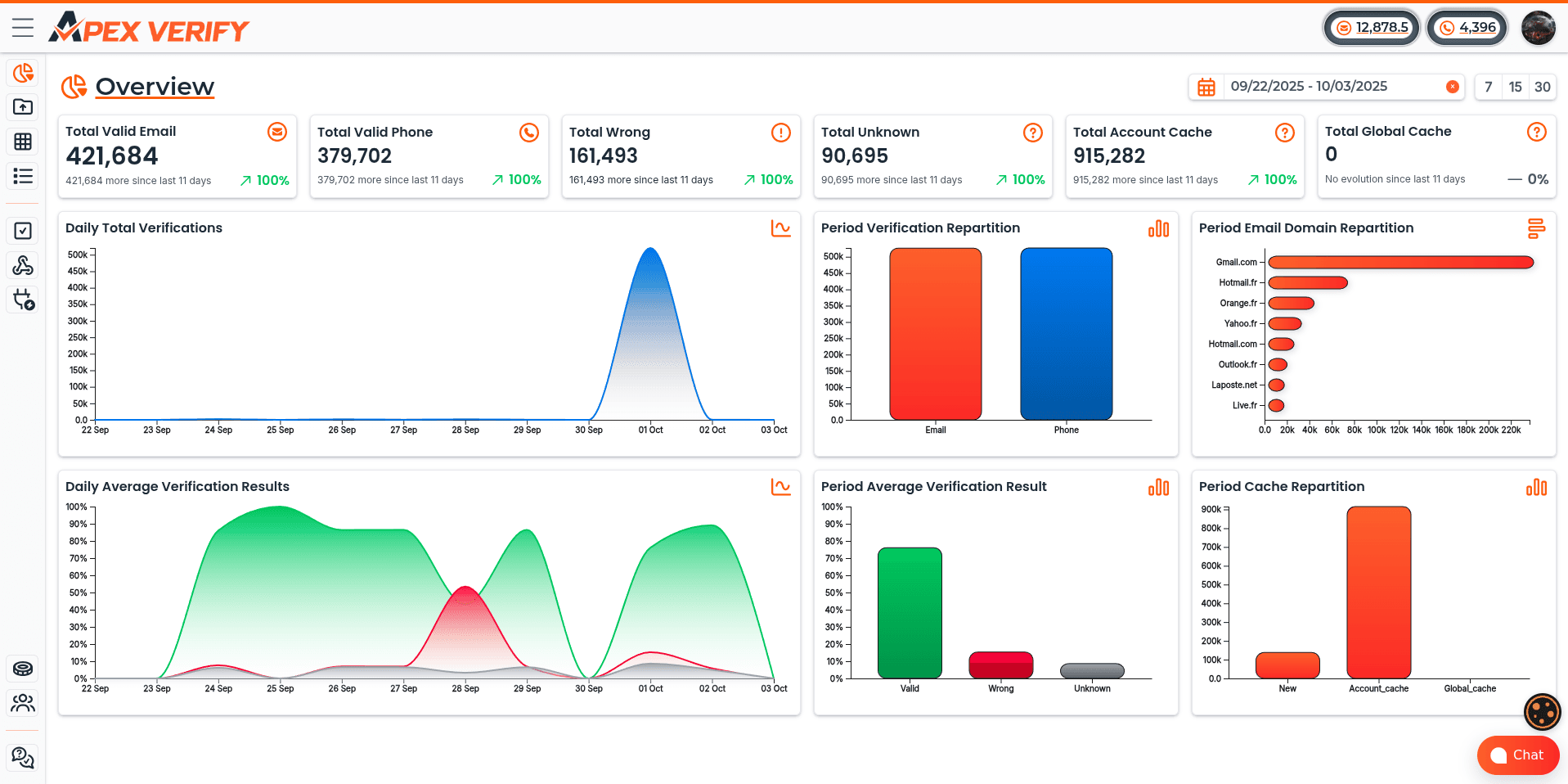
ApexVerify exemplifies the comprehensive approach to multi-channel verification. It offers unified verification across all contact data types. This eliminates the need to work with multiple vendors and provides consistent data formatting. Organizations gain unified reporting on data quality metrics, making it easier to track improvement and identify ongoing issues.
The advantages of all-in-one data verification solutions extend beyond convenience. These platforms provide holistic visibility into contact data quality. They reveal patterns that are impossible to see when verification functions are separated. For example, when email and phone data both show issues for the same contact records, that pattern suggests those contacts may need complete re-verification or removal from your database.
ApexVerify and similar comprehensive platforms are particularly valuable for organizations cleaning large databases or maintaining ongoing verification processes. They reduce integration complexity by connecting to your CRM through a single integration point. This streamlined approach reduces IT burden and accelerates implementation timelines.
Unified verification also ensures consistent data quality standards across all contact channels. When we use different tools for each verification type, those tools may apply different quality thresholds or risk assessments. Comprehensive solutions apply consistent standards, creating more reliable data quality outcomes.
Throughout this tool selection process, we emphasize that decisions should be based on specific organizational needs, database size, and use cases rather than simply choosing the least expensive option. Investing in quality verification protects revenue and prevents costly deliverability or compliance problems. The tools we choose directly impact our ability to reach customers, protect sender reputation, and maintain clean CRM data over time.
Automated CRM Data Cleaning and Verification at Scale
Automation becomes crucial when your CRM holds hundreds of thousands of records. Manual verification is impossible as databases grow. The cleaning process we outlined earlier is essential, but automated verification is needed to prevent problems from recurring.
CRM systems face constant data decay. Contacts change jobs, email addresses become invalid, and phone numbers get disconnected. Without automation, we're fighting a losing battle against entropy. Continuous verification processes maintain data quality without consuming team resources.

The Business Case for Automation
Research shows AI automation cuts manual data work by 41% across organizations. This reduction translates into recovered productivity and improved data accuracy. Sales representatives spend four hours weekly on data entry tasks that automation can handle more reliably.
Automated data management eliminates repetitive tasks like manual entry, duplicate detection, and information updates. This frees sales teams to focus on relationship-building and revenue-generating activities. Reclaiming those four hours per week per representative adds 200 productive hours annually per team member.
The benefits extend beyond time savings. Automation delivers consistent quality regardless of database size. Human error disappears from repetitive verification tasks. Real-time data quality replaces periodic cleanup projects that always lag behind current needs.
As databases scale into millions of records, manual verification becomes financially impractical. The cost per verified record makes comprehensive quality checks impossible without automation. This makes automated systems not just beneficial but essential for maintaining competitive data standards.
Real-Time Email Verification Systems
Email verification at scale operates through three complementary mechanisms. Real-time verification checks email addresses as they're entered through web forms or CRM interfaces. This catches problems at the point of entry before invalid data enters your system.
Scheduled batch verification periodically rechecks existing records to catch addresses that have become invalid since last verification. Email addresses decay at approximately 22% annually as people change jobs or abandon accounts. Ongoing verification catches this decay before it impacts your campaigns.
Effective email verification at scale includes several implementation approaches:
- API integrations that verify emails before they're saved to the CRM
- Automated workflows that flag high-risk addresses for manual review
- Off-peak processing that handles large databases without impacting system performance
- Risk scoring systems that continuously evaluate deliverability across your entire database
Modern email verification at scale distinguishes between syntax errors, domain problems, and mailbox issues. This granular analysis lets us implement different handling strategies based on verification results. Temporary failures get queued for retry while permanent failures get flagged for removal.
Automated Phone Number Verification
Phone verification at scale follows similar automation patterns with specialized capabilities for telephony data. Real-time verification during data entry ensures new phone numbers meet quality standards immediately. This prevents invalid numbers from entering your database in the first place.
Scheduled batch processing revalidates existing phone numbers to identify disconnected lines before outreach attempts. This protects your calling reputation and prevents wasted contact efforts. The verification process also standardizes formatting to ensure consistency across your database.
Advanced phone verification at scale provides intelligence beyond simple validity checking:
- Line type identification distinguishes mobile from landline numbers to optimize communication channel selection
- Carrier information enables more sophisticated routing strategies for call campaigns
- Connection status identifies numbers that are disconnected or no longer in service
- Risk assessment flags numbers associated with spam complaints or regulatory concerns
This enriched data transforms phone verification at scale from a simple validation task into a strategic asset. We can route mobile numbers to SMS campaigns while reserving voice calls for landlines. Carrier data helps us optimize delivery paths for better connection rates.
Scalable Address Validation
Address verification at scale maintains deliverability as postal standards evolve and geographic data changes. Real-time standardization formats addresses as they're entered, ensuring consistency from the moment data enters your system. This eliminates formatting variations that create duplicate records.
Automated systems validate deliverability against postal databases in real-time. This catches errors like invalid ZIP codes, non-existent street numbers, or mismatched city-state combinations. The verification process also standardizes abbreviations according to postal service guidelines.
Address verification at scale handles geographic data changes automatically. When ZIP codes split, streets get renamed, or postal routes change, automated systems update affected records. This maintenance happens continuously without manual intervention.
The verification process provides additional intelligence for address verification at scale:
- Residential vs. commercial classification for targeted marketing strategies
- Apartment and suite number validation to reduce delivery failures
- Address completion that fills in missing components like ZIP+4 codes
- Geographic coordinates for location-based analysis and routing
Implementation and Integration Strategies
Successful automated contact data verification for crm requires thoughtful implementation that balances thoroughness with system performance. We have several integration approaches to choose from, each with specific advantages for different use cases.
API integrations provide real-time verification with minimal latency. These connections verify data as users enter it, providing immediate feedback. API approaches work best for high-volume data entry scenarios where instant validation prevents downstream problems.
Batch file processing handles large-scale verification during off-peak hours. This approach processes thousands or millions of records without impacting user experience. Batch verification works well for periodic database hygiene and historical data cleanup.
iPaaS platforms offer middleware solutions that connect CRM systems with verification services. These integration platforms provide visual workflow builders and pre-built connectors. They simplify complex integration scenarios without extensive custom development.
Configuration requires establishing verification rules and thresholds appropriate for your specific use cases. We need to define what constitutes a verification failure, how to handle uncertain results, and when to flag records for manual review. These rules balance data quality with operational efficiency.
Monitoring verification performance through dashboards and alerts ensures the system continues delivering value. We track verification rates, failure patterns, and data quality trends. Automated alerts notify us when verification rates drop or unusual patterns emerge.
Automation isn't about replacing human judgment. It's about eliminating repetitive verification tasks so teams can focus on high-value activities. Strategic decision-making and relationship building require human insight. Verification and standardization don't. Automation lets us maintain verification standards that would be impossible to achieve manually at scale.
CRM Platform-Specific Data Cleaning Considerations
Each CRM platform has its own architecture, features, and limitations. These factors directly impact our approach to data cleaning. While maintaining data quality is a consistent goal, the tools and workflows vary significantly.
CRM systems are central for storing and activating data. They need to sync with marketing tools, data warehouses, and analytics dashboards. This integration is crucial for effective data management.
Knowing your platform's capabilities is key to designing efficient cleaning processes. We can leverage native features and integrate third-party tools for optimal results.
Salesforce CRM Data Cleaning
Salesforce CRM is the market leader, offering robust features for data quality. With 90% of contact records incomplete, systematic cleaning is critical.
Salesforce provides several native features for data quality:
- Duplicate Management Rules prevent duplicate records at entry
- Validation Rules enforce data standards before entry
- Data Quality Dashboards offer real-time visibility
- Workflow Automation triggers data verification processes
When planning cleaning projects, Salesforce's specific considerations are crucial. We must handle relationships between objects carefully to avoid cascading changes.
Large enterprises face complexity in managing data across business units. Establishing consistent data standards and executing cleaning operations within these boundaries is essential.

Salesforce's API limits affect bulk operations. We must design processes that work within these constraints to avoid disrupting business operations.
The AppExchange marketplace offers specialized solutions for Salesforce. Tools like Cloudingo and Validity DemandTools provide advanced deduplication and data management capabilities.
Microsoft Dynamics 365 CRM
Microsoft Dynamics 365 CRM offers tight integration with Microsoft's ecosystem. It provides built-in duplicate detection and data quality management tools.
The Power Platform integration enables building custom data quality workflows. Power Automate and Power BI integration support sophisticated reporting and visualization.
Microsoft Dynamics 365 CRM's connections with Outlook and Excel introduce data quality challenges. Proper management of these integration points is crucial for maintaining data integrity.
The platform's cloud-native architecture supports scalability through microservices. This enables independent scaling of CRM components, supporting large-scale cleaning operations without performance impact.
Zoho CRM
Zoho CRM is popular among small to mid-sized businesses for its accessible pricing and intuitive interface. Its simplicity is especially valuable for organizations lacking dedicated data management resources.
Zoho CRM offers built-in features for maintaining data quality. Deduplication and validation rules prevent low-quality data entry.
Workflow automation in Zoho enables automatic data verification. We can set up rules to check data quality upon record creation or update, ensuring continuous maintenance.
Third-party tools like Insycle offer advanced data management capabilities for Zoho CRM users. These solutions provide more sophisticated cleaning and deduplication features than Zoho's native functionality.
Salesforce, Microsoft Dynamics 365, and Zoho represent the top 3 commercial CRM solutions. Each offers distinct advantages for effective data cleaning.
Open-Source CRM Solutions
Open-source CRM platforms offer cost advantages and customization flexibility. They require more implementation effort but provide complete control over data structures and cleaning processes.
The top 3 open-source CRM platforms each bring different strengths to data management. We can customize these systems extensively to meet our exact requirements.
Odoo CRM
Odoo CRM has a modular architecture for flexible data management. Its Python-based customization framework allows us to build sophisticated data quality workflows tailored to our needs.
We can develop custom modules in Odoo CRM to automate data cleaning processes and enforce validation rules. The open-source nature gives us complete access to the underlying code for implementing advanced cleaning logic.
VTiger CRM
VTiger CRM offers built-in features for data quality management. It provides duplicate detection, data validation, and workflow automation capabilities that we can configure for maintaining clean data.
Extensions and plugins available for VTiger CRM expand its data management capabilities. The open-source community has developed numerous tools that enhance the platform's native features for more sophisticated cleaning operations.
SuiteCRM
SuiteCRM is a popular open-source alternative to commercial platforms, offering enterprise-grade functionality without licensing costs. It provides comprehensive data management tools that we can customize extensively.
Data cleaning in SuiteCRM benefits from its flexible architecture. We can modify existing modules, create custom workflows, and integrate third-party verification services to build a complete data quality management system.
The key advantage across all open-source platforms is the absence of vendor restrictions. We control the data structures, cleaning processes, and integration approaches completely. This flexibility requires more technical expertise but delivers solutions perfectly matched to our requirements.
Understanding platform-specific capabilities and constraints is essential for successful data cleaning. The investment in learning these approaches pays dividends through more efficient implementations and better long-term data quality outcomes.
Best Practices for Maintaining Clean CRM Data
The difference between organizations with pristine CRM data and those constantly fighting data decay lies not in cleaning efforts but in maintenance practices. Even the most thorough data cleaning project will fail without ongoing discipline. Quality deteriorates within months as new records enter the system and existing information becomes outdated. Sustainable data quality requires treating maintenance as an operational discipline with clear standards, regular cycles, and cultural reinforcement rather than viewing it as periodic cleanup projects.
Organizations that successfully maintain clean databases share common characteristics. They establish enforceable entry standards that prevent bad data from entering systems. They schedule routine maintenance cycles that catch issues before they compound. They implement automated verification that validates information in real-time.
Most importantly, they build data-conscious cultures where quality becomes everyone's responsibility. These practices work together to create systems that stay clean despite constant additions and changes.
Creating Enforceable Entry Standards
Prevention works better than correction when managing data quality. Well-designed entry standards stop inaccurate information from entering our CRM systems in the first place. These standards must balance quality requirements with user experience, since overly restrictive rules frustrate teams and encourage workarounds that undermine the entire system.
Required fields represent our first line of defense. We should designate essential information like email addresses, company names, and job titles as mandatory. This ensures critical data gets captured during initial entry rather than requiring tedious backfilling later.
Formatting rules enforce consistency across records. Phone number formats, naming conventions, and address structures should follow standardized patterns. When everyone enters data the same way, we eliminate formatting inconsistencies that create duplicate records and complicate reporting.
Validation rules reject obviously invalid entries before they enter the database. Email addresses without @ symbols, phone numbers with incorrect digit counts, and ZIP codes that don't match state selections should trigger immediate error messages. Real-time validation catches mistakes at the point of entry when correction takes seconds rather than discovering problems months later during audits.
Picklists control values for fields with limited valid options. Lead sources, industries, and contact statuses should use dropdown menus rather than free-text fields. This standardization prevents the data fragmentation that occurs when users enter "CEO," "Chief Executive Officer," and "chief exec" for the same role.
Establishing Routine Maintenance Cycles
Regular maintenance schedules prevent quality from degrading between major cleaning initiatives. We recommend implementing multiple cycles that address different aspects of data health. Monthly duplicate scans using automated tools catch redundant records before they multiply throughout the system.
Quarterly comprehensive audits review field completion rates and accuracy metrics. These audits identify patterns like specific teams consistently leaving fields blank or particular data sources generating low-quality records. Armed with these insights, we can address root causes rather than just symptoms.
Semi-annual verification of contact information catches records affected by natural decay. Email addresses change when people switch jobs. Phone numbers get reassigned. Companies relocate or close. Regular verification cycles identify outdated information before it damages campaign performance or wastes sales effort.
Annual strategic reviews reassess our data quality standards and governance policies. Business priorities shift, new fields become important, and legacy standards may no longer serve current needs. These yearly reviews ensure our maintenance practices evolve with our organizations.
Scheduling these cycles into operational calendars ensures they happen consistently. When maintenance becomes part of routine operations rather than ad-hoc projects, data quality remains stable over time.
Integrating Real-Time Verification Systems
The most effective approach to maintaining clean databases involves integrating crm data cleaning with automated verification into daily workflows. Point-of-entry validation checks data quality as information gets entered, providing immediate feedback to users about potential issues. This creates natural training moments that improve data entry habits over time.

Automated enrichment appends missing information immediately when new records are created. When a sales representative enters just an email address and company name, enrichment tools can automatically populate job titles, phone numbers, and company size data. This reduces manual data entry while improving record completeness.
Continuous monitoring flags quality issues as they emerge rather than waiting for scheduled audits. Background processes scan for common problems like duplicate entries, invalid formatting, and missing required fields. When issues are detected, the system can either correct them automatically or alert responsible team members to take action.
Solutions like apexverify provide comprehensive real-time verification capabilities that integrate directly into CRM interfaces. These platforms validate email addresses, phone numbers, and addresses at the moment of entry, preventing invalid information from ever entering the database. Real-time verification is particularly valuable because it stops bad data at the source while providing users with instant feedback about quality issues.
Organizations can explore these capabilities at apexverify.com, where multi-channel verification integrates seamlessly with popular CRM platforms. This integration ensures that marketing automation campaigns only target verified, high-quality contacts, protecting sender reputation and improving campaign performance. Real-time verification bridges the gap between data entry and data quality, making clean information the path of least resistance for busy teams.
Building a Data-Conscious Team Culture
Technology and policies establish the foundation for data quality, but culture determines whether it lasts. Even the most sophisticated technical controls fail when team members don't understand why data quality matters or how their actions affect it. We must create environments where maintaining clean records is valued, recognized, and reinforced.
Onboarding programs should teach new employees data entry standards from day one. New hires need to understand that clean records directly fuel revenue, protect domain reputation, and keep marketing and sales teams aligned. When people understand the business impact of data quality, they treat it as essential rather than optional.
Role-specific training shows different teams how data quality affects their specific workflows. Sales representatives need to understand how duplicate records waste their time pursuing contacts their colleagues already engage. Marketers must see how invalid email addresses damage sender scores and reduce campaign deliverability. Support agents should learn how incomplete records slow response times and frustrate customers.
Real-world examples make abstract concepts concrete. Sharing stories about campaigns that failed due to outdated contact lists, deals lost because duplicate records created confusion, or compliance incidents triggered by poor data management helps teams connect their daily actions to business outcomes. These examples transform data quality from a technical requirement into a business priority.
Recognition programs that celebrate teams or individuals maintaining high data quality standards build lasting habits. When we acknowledge people who consistently enter complete, accurate information, we signal that the organization values this behavior. Public recognition during team meetings, performance reviews that include data quality metrics, and incentive programs tied to database health all reinforce the importance of maintaining clean information.
Creating a data-conscious culture where quality is everyone's responsibility, not just the data team's burden, separates organizations with sustained clean data from those who perpetually struggle with quality issues. When maintaining accurate information becomes part of how we work rather than extra overhead, data quality improves naturally as a byproduct of daily operations.
These maintenance practices are not optional overhead but essential operational disciplines. They protect the substantial investment we make in CRM systems and the customer relationships those systems support. Organizations that embrace these best practices enjoy sustainable data quality that drives better decisions, more effective campaigns, and stronger customer relationships over the long term.
Conclusion
Understanding how to clean CRM data is just the start of your journey toward sustainable business growth. The strategies we've outlined transform scattered information into a strategic asset. This asset powers every customer interaction.
Organizations that treat CRM data cleaning as an ongoing discipline consistently outperform competitors. They see better sales efficiency and higher customer satisfaction. Your CRM becomes more valuable when every record contains verified CRM data that teams can trust.
Start by auditing your current data quality using the framework we provided. Identify your most critical issues first. Focus on the records that directly impact revenue generation and customer relationships.
Implement the step-by-step process we outlined to execute your initial cleaning systematically. Select tools that match your database size and specific verification needs. Build automation into your workflows to maintain data quality without constant manual effort.
The investment you make in proper data quality pays measurable returns. You'll see faster sales cycles and higher conversion rates. Clean data enables AI-powered analytics, automated personalization, and intelligent routing. These are impossible with poor-quality information.
Remember that data naturally decays at approximately 30% annually. Regular maintenance isn't optional, it's essential for sustained success. Build the processes and organizational culture that keep your CRM healthy over time.
Your competitive advantage starts with reliable customer intelligence. The foundation you build through systematic data management creates lasting business value. This value compounds over time.
Frequently Asked Questions
How often should we clean our CRM data?
We suggest a multi-tiered maintenance plan instead of a single annual clean-up. For best results, run monthly duplicate scans with automated tools. Also, perform quarterly audits to check field completion and accuracy. Verify contact information every six months to catch outdated records.
Do an annual review to reassess data quality standards. The best approach combines scheduled cycles with real-time verification. This prevents bad data from entering your system. Organizations that use continuous automated verification achieve the highest data quality.
What percentage of CRM data typically becomes outdated each year?
Can we clean CRM data manually or do we need specialized tools?
How do duplicate records impact our business operations?
What makes a CRM data cleaning tool effective?
Why is real-time verification better than periodic batch cleaning?
Which CRM platforms require specialized data cleaning approaches?
How does dirty CRM data affect email deliverability?
What ROI can we expect from investing in CRM data cleaning?
How do we prevent data quality from degrading after initial cleaning?
What's the difference between data cleaning and data enrichment?
Can automated data cleaning completely replace manual review?
How does data quality impact marketing automation effectiveness?
What compliance risks does dirty CRM data create?
How long does a comprehensive CRM data cleaning project typically take?
Should we clean CRM data in-house or hire external specialists?
What metrics should we track to measure data quality improvement?
How does data quality affect sales team productivity and performance?
What's the best way to handle historical data versus new data differently?